34 | minnkotamotors.com
©2022 Johnson Outdoors Marine Electronics, Inc.
SERVICE & MAINTENANCE
PROPELLER REPLACEMENT
• 9/16” Open End Wrench • Flat Blade Screwdriver
TOOLS AND RESOURCES REQUIRED
INSTALLATION
2
3
1
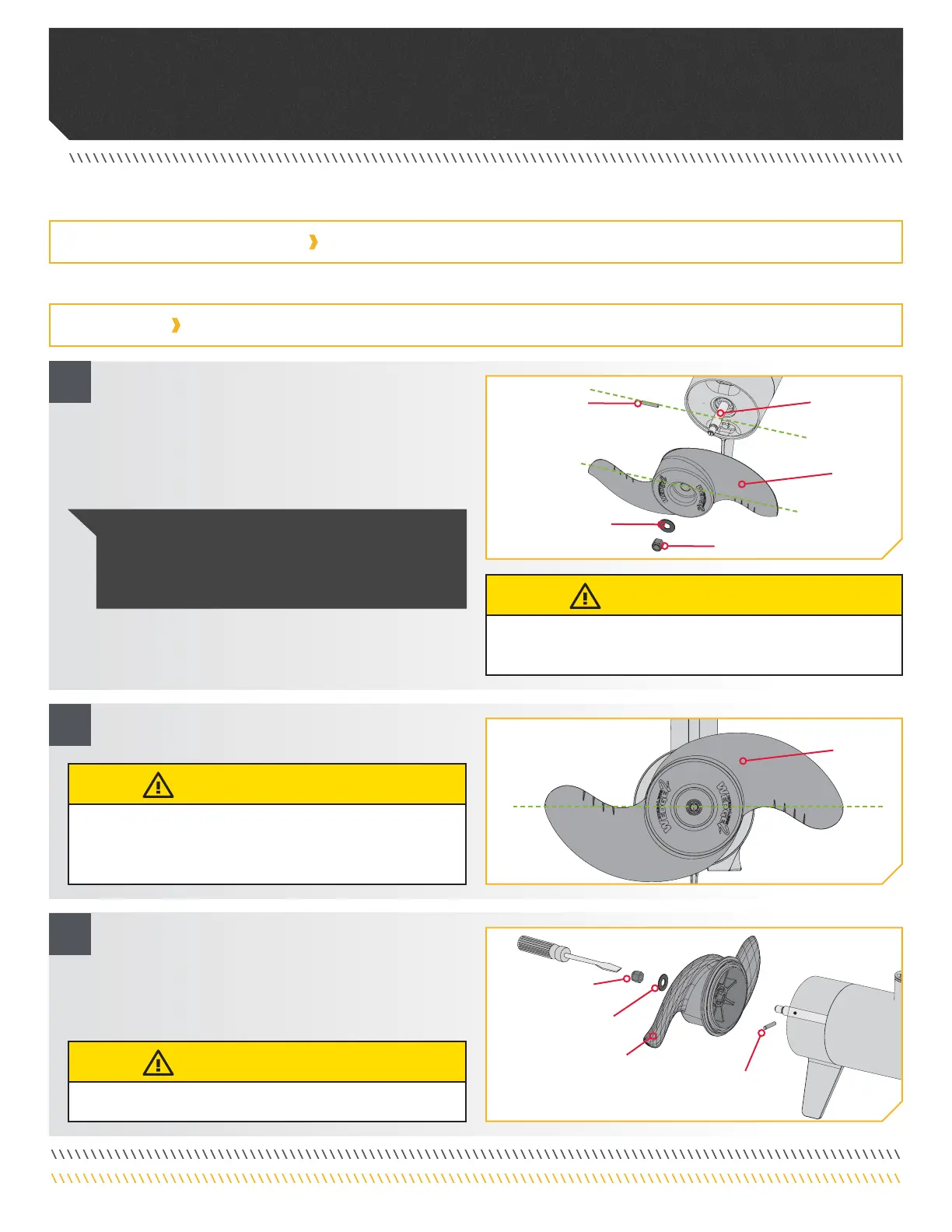
a. Disconnect the motor from all sources of power prior
to changing the propeller.
b. Hold the propeller and loosen the Prop Nut with a
pliers or a wrench.
c. Remove the Prop Nut and Prop Washer.
d. Turn the old prop to horizontal and pull it straight o.
If drive pin falls out, push it back in.
e. Align the new Propeller with the Drive Pin.
f. Install the Prop Washer and Prop Nut.
g. Tighten the Prop Nut 1/4 turn past snug at
25-35 inch-lbs.
PropellerPropeller
PropellerPropeller
Prop NutProp Nut
Prop WasherProp Washer
Drive PinDrive Pin
PropellerPropeller
Prop NutProp Nut
Prop WasherProp Washer
Drive PinDrive Pin
Armature Armature
ShaftShaft
CAUTION
Disconnect the motor from the battery before beginning any
prop work or maintenance.
CAUTION
If the prop does not readily slide o, take care to not bend
the Armature Shaft while removing the prop by pulling the
prop evenly o the Armature Shaft.
CAUTION
Do not over tighten as this can damage the prop.
NOTICE: If the Drive Pin is sheared or broken, you
will need to hold the shaft stationary with a flat blade
screwdriver pressed into the slot on the end of the shaft
while you loosen the Prop Nut.


 To Next Page