EasyManua.ls Logo

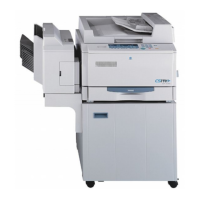
Minolta EP1080 - User Manual

Minolta EP1080
197 pages
Print Icon
To Next Page IconTo Next Page
Loading...
EP1080
Thank you for purchasing the Minolta EP1080.
This operator’s manual explains how to operate the copier and replenish supplies.
It also gives some troubleshooting tips as well as general precautions to be
observed when using the copier.
To ensure the best performance and effective use of your EP1080, read this
manual carefully until you familiarize yourself thoroughly with its operation and
features. After you have read through the manual, keep it for ready reference.
Please use this manual as a quick and handy reference tool for clarifying
immediately any questions which may arise.
1139O1571A
i

Table of Contents

Other manuals for Minolta EP1080

Questions and Answers

  • T
    Taylor JamesAug 6, 2025
    Why is the image too light on my Minolta Copier?
    • J
      Jason JonesAug 6, 2025
      If images from your Minolta Copier are too light, several factors could be the cause. If you're using Auto Exposure Mode, the exposure level might be set too light; adjust the Priority Auto Exposure Level in User’s Choice Mode U-13. Alternatively, if you're in Manual Exposure Mode, the exposure level might be set too light, so switch to Manual Exposure Mode and darken the exposure level. If you're copying from a photo or an original with a large dark area, try pressing the Exposure Control Key (Darker) to darken the image. If you've just replaced the Toner Bottle, the copier may need more toner; use Auxiliary Toner Replenishing repeatedly until you get the image density you want. Lastly, damp paper can also cause light images, so replace the paper.

Minolta EP1080 Specifications

General IconGeneral
BrandMinolta
ModelEP1080
CategoryCopier
LanguageEnglish

Related product manuals