Entering Text Using the Input Panel
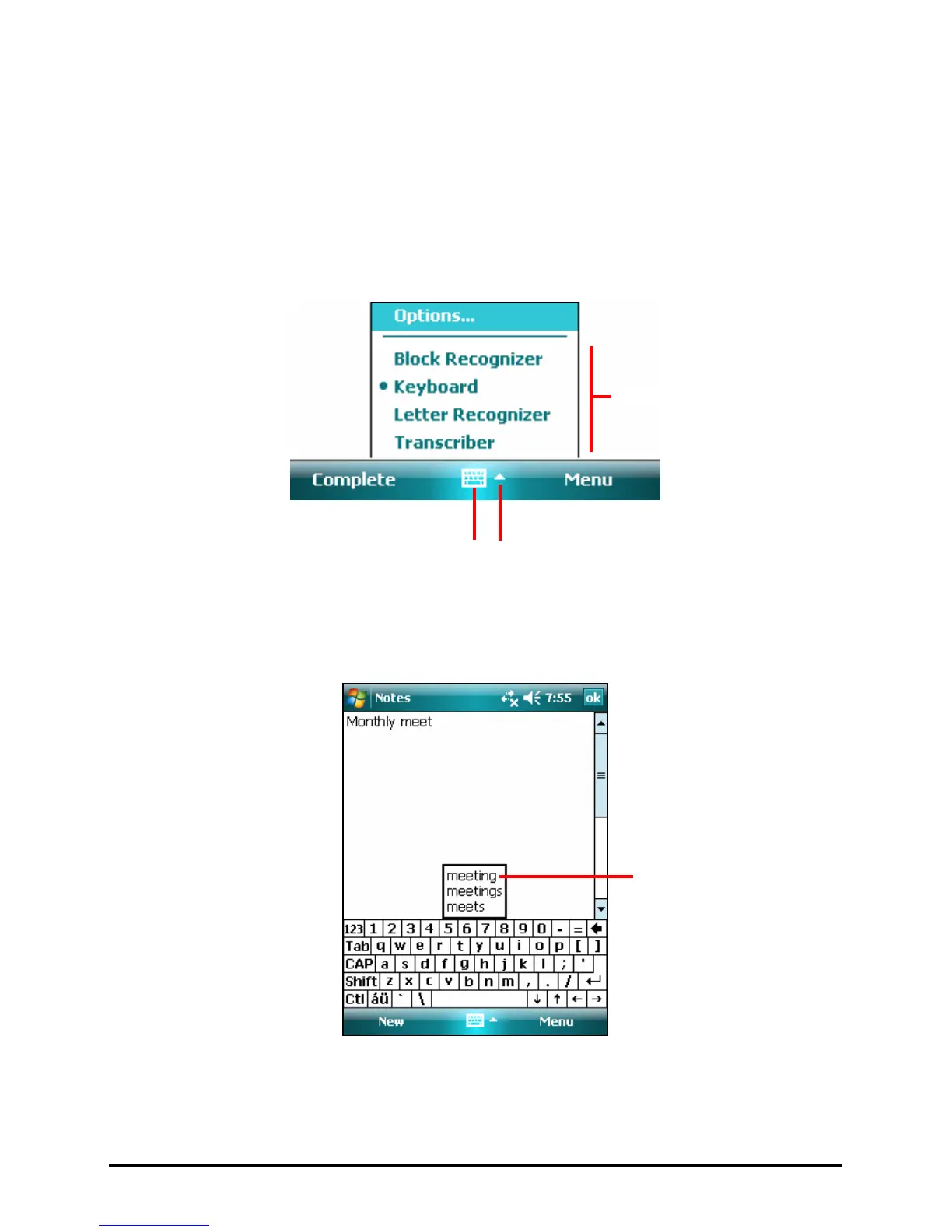
Use the Input panel to enter information in any program on your Pocket PC. You
can either type using the soft keyboard or write using a recognizer. In any case,
the characters appear as typed text on the screen.
To show or hide the Input panel, tap the
Input panel button. Tap the arrow next to
the Input panel button to see your choices.
When you use the Input panel, your Pocket PC anticipates the word you are
typing or writing and displays it above the Input panel. When you tap the
displayed word, it is inserted into your text at the insertion point. The more you
use your Pocket PC, the more words it learns to anticipate.
Select an input method.
Tap to see your choices.
Tap here if this is
the right word.
Input panel button.
16



 To Next Page