Browsing the Internet
1. Tap Æ Internet Explorer.
2. Tap the
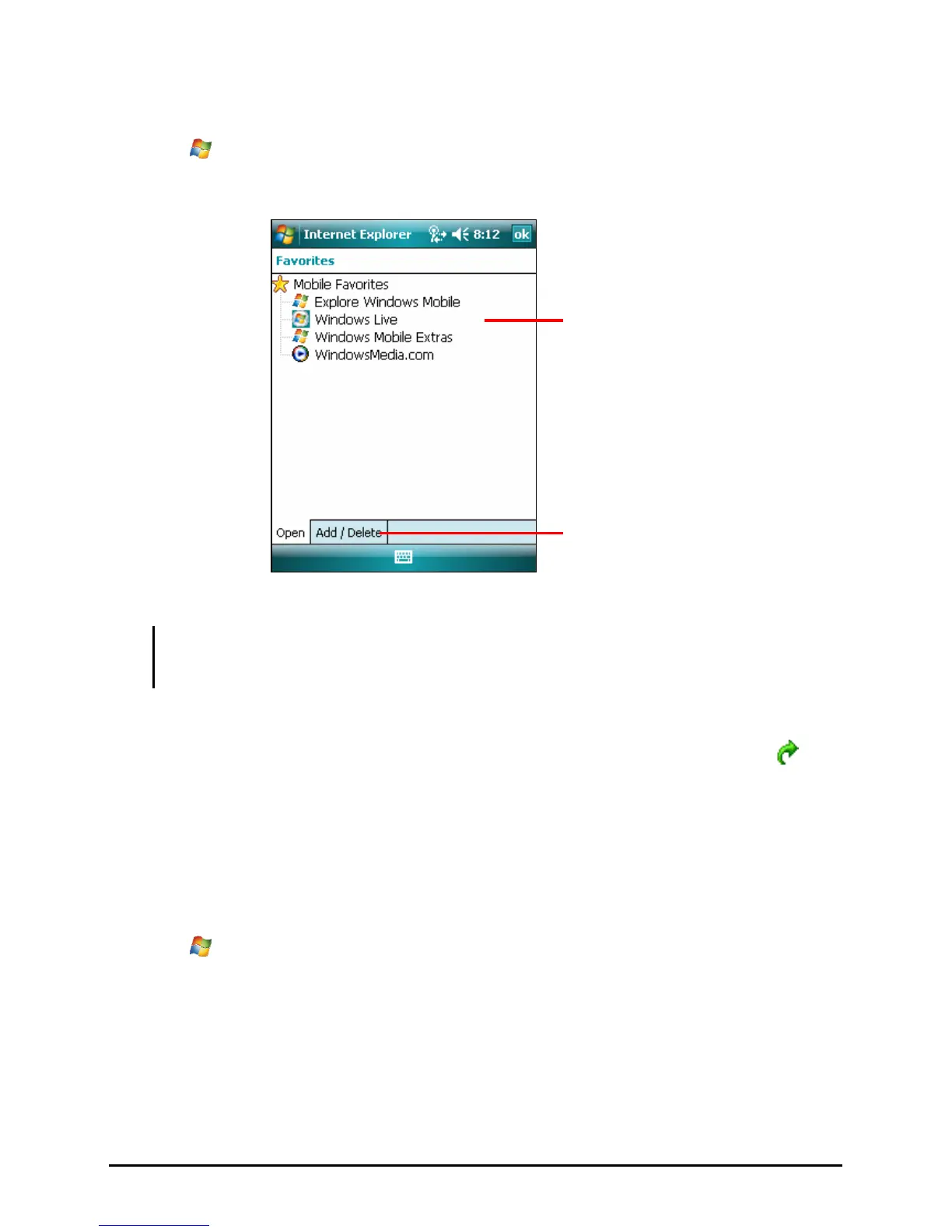
Favorites soft key to display the Favorites list.
Tap to add or delete a link.
Tap to access the web site.
3. Tap the page that you want to view.
NOTE: If a favorite link is dimmed or you receive a message that the page is not available,
you must download the page to your device through synchronization or connect to the
Internet.
To visit web pages not included in Favorites, in the address bar that appears at
the top of the screen, enter the web address you want to visit and then tap
. Or,
tap the arrow to choose from previously entered addresses.
Managing Favorites
Adding a Favorite
1. Tap Æ Internet Explorer.
2. Go to the page you want to add.
3. Tap and hold the page, and tap
Add to Favorites on the shortcut menu.
4. Confirm or change the name, select a folder for storing the favorite, and tap
Add to save the setting.
53



 To Next Page