7 Troubleshooting and
Maintenance
Troubleshooting and
Maintenance
This chapter gives solutions to common Pocket PC problems you may
encou
NOTE: If you encounter a problem you cannot solve, contact your dealer for assistance.
nter. It also provides guidelines on taking care of your Pocket PC.
CAUTION: Resetting will cause unsaved data to be lost.
7.1 Resetting Your Pocket PC
Resetting your Pocket P
C allows you to restart the operating system, but you will
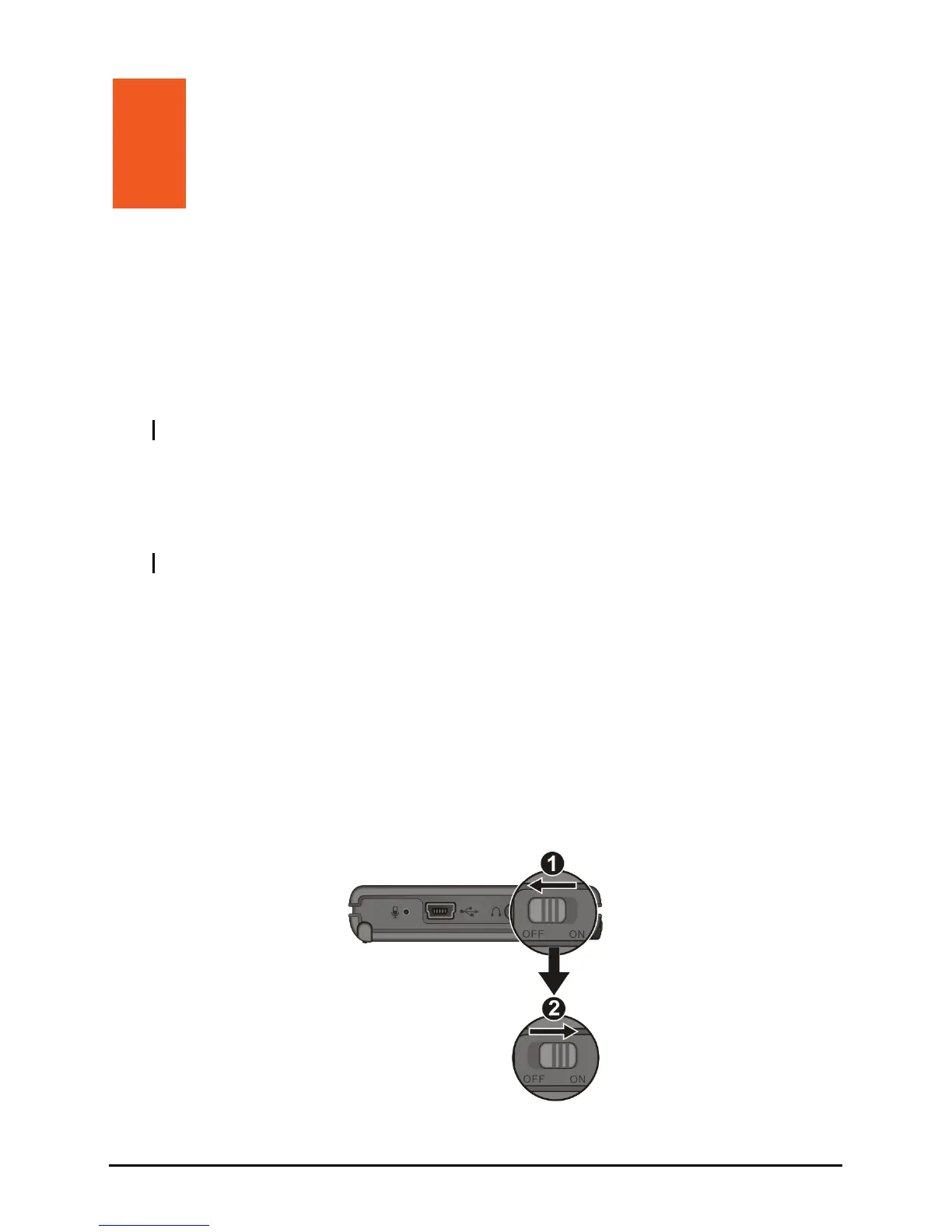
w to reset your Pocket PC.
2. Wait for 1 minute and then slide the switch back to the ON position.
lose any unsaved data.
Occasionally, you may need to reset your Pocket PC; for example, you should
reset your Pocket PC when it stops responding. In other words, it appears to be
“frozen” or “locked up.” Follow the procedure belo
1. Slide the ON/OFF switch to the OFF position.
61



 To Next Page