Use Microsoft Windows Media Player on your desktop computer to copy digital
audio and video files to your Pocket PC.
NOTE: For more information, tap
Æ Help.
5.8 Pictures & Videos
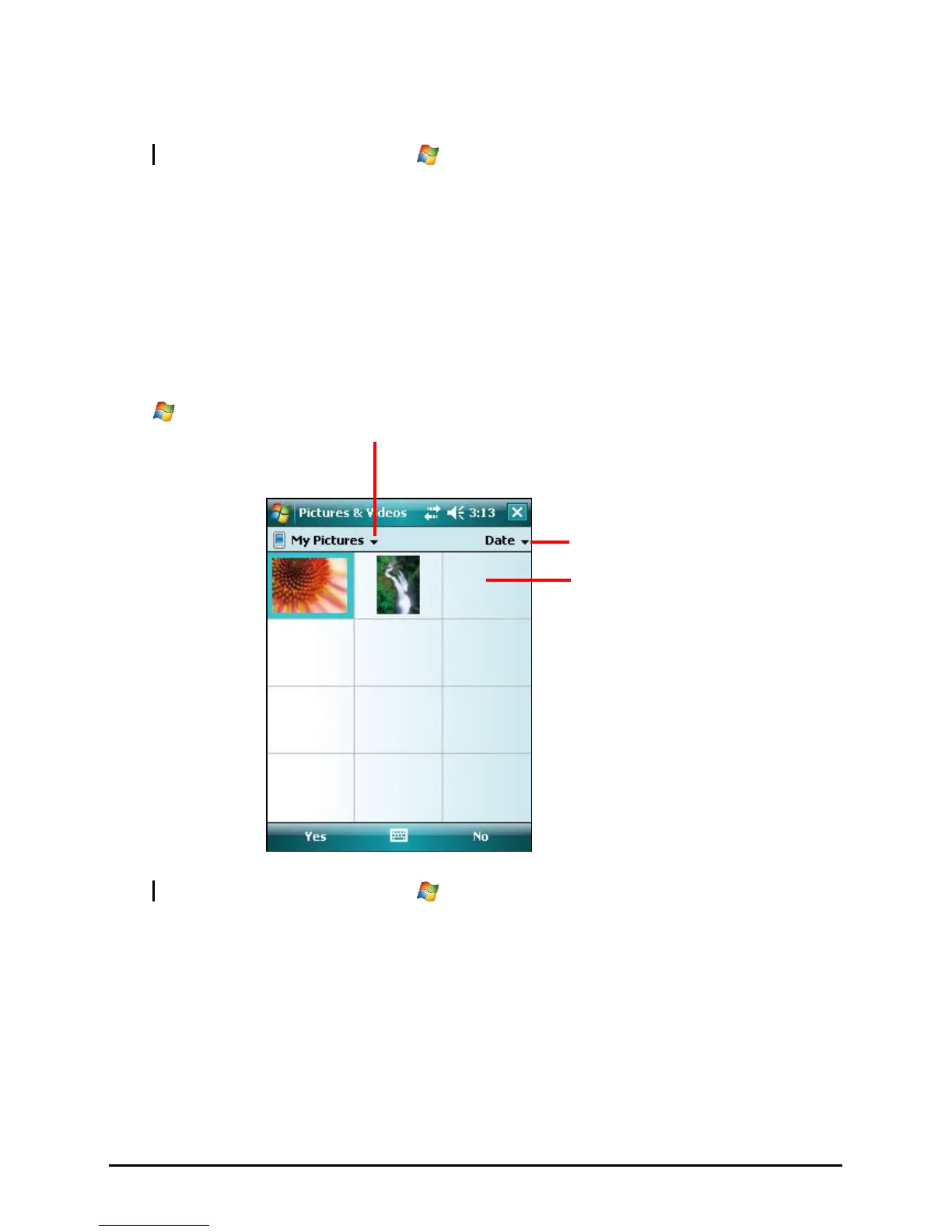
Use Pictures & Videos to view and edit pictures as well as launch video clips
stored on your Pocket PC or on a storage card. You can see your pictures
individual, as thumbnails, or as part of a slide show. You can edit your pictures
by cropping, rotating, and adjusting the brightness and contrast.
Tap
Æ
Programs Æ Pictures and Videos to switch to the program.
Select the type of folder you
want displayed in the list.
Tap to change the sort
order of the list.
Tap to view a picture in full
screen.
NOTE: For more information, tap
Æ Help.
55



 To Next Page