Creating an Appointment
1. In Day or Week view, tap the desired date and time for the appointment.
2. Tap
Menu Æ New Appointment.
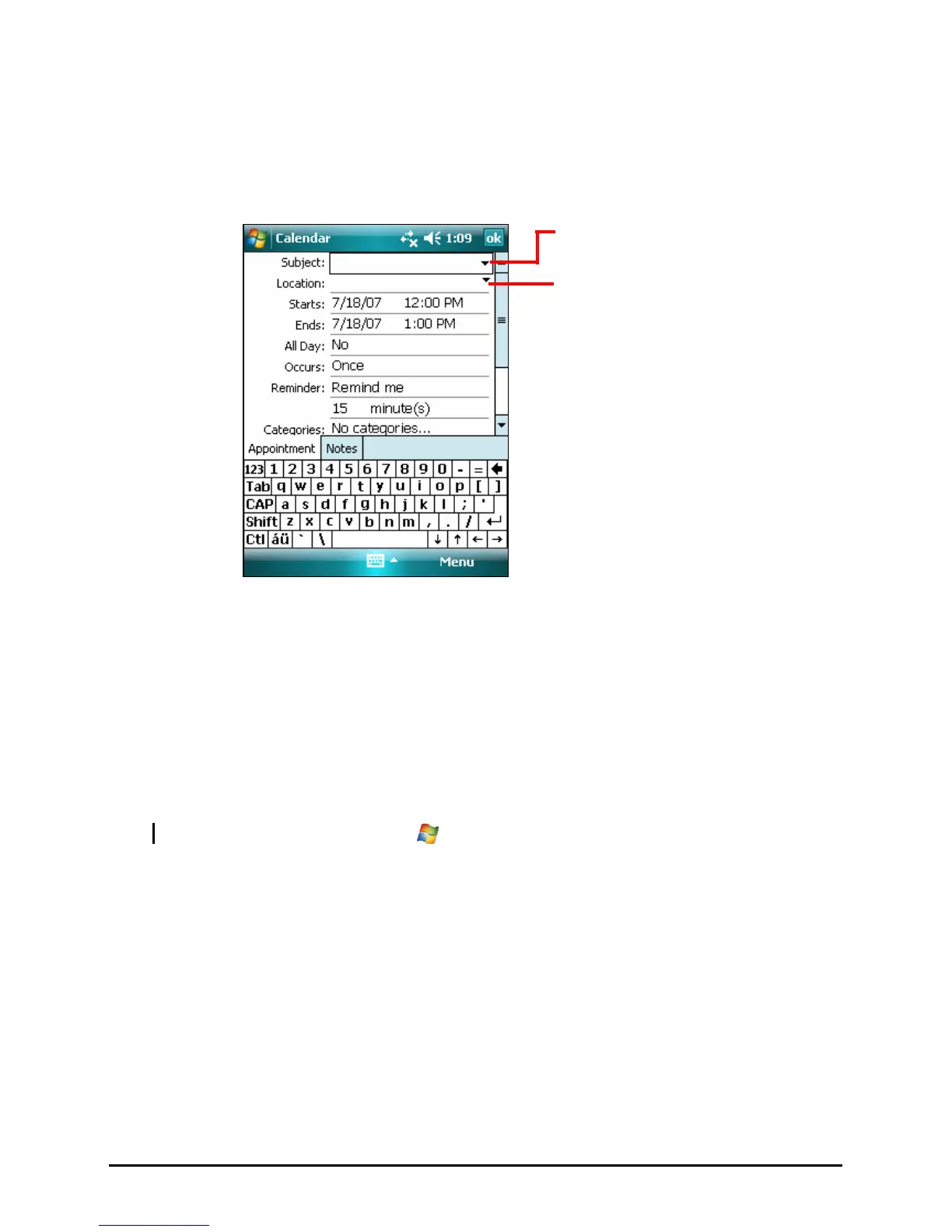
Tap to choose from predefined text.
Tap to choose from previously entered
locations.
3. Using the Input panel, tap first to select the field, and then enter a description
and a location.
4. If needed, tap the date and time to change them.
5. Enter other desired information. You will need to hide the Input panel to see
all available fields.
6. Tap OK to save and return to Calendar.
NOTE: For more information, tap Æ Help.
28



 To Next Page