Appendix B: Copying and Pasting Into Excel
32
Formatting the Imported Text
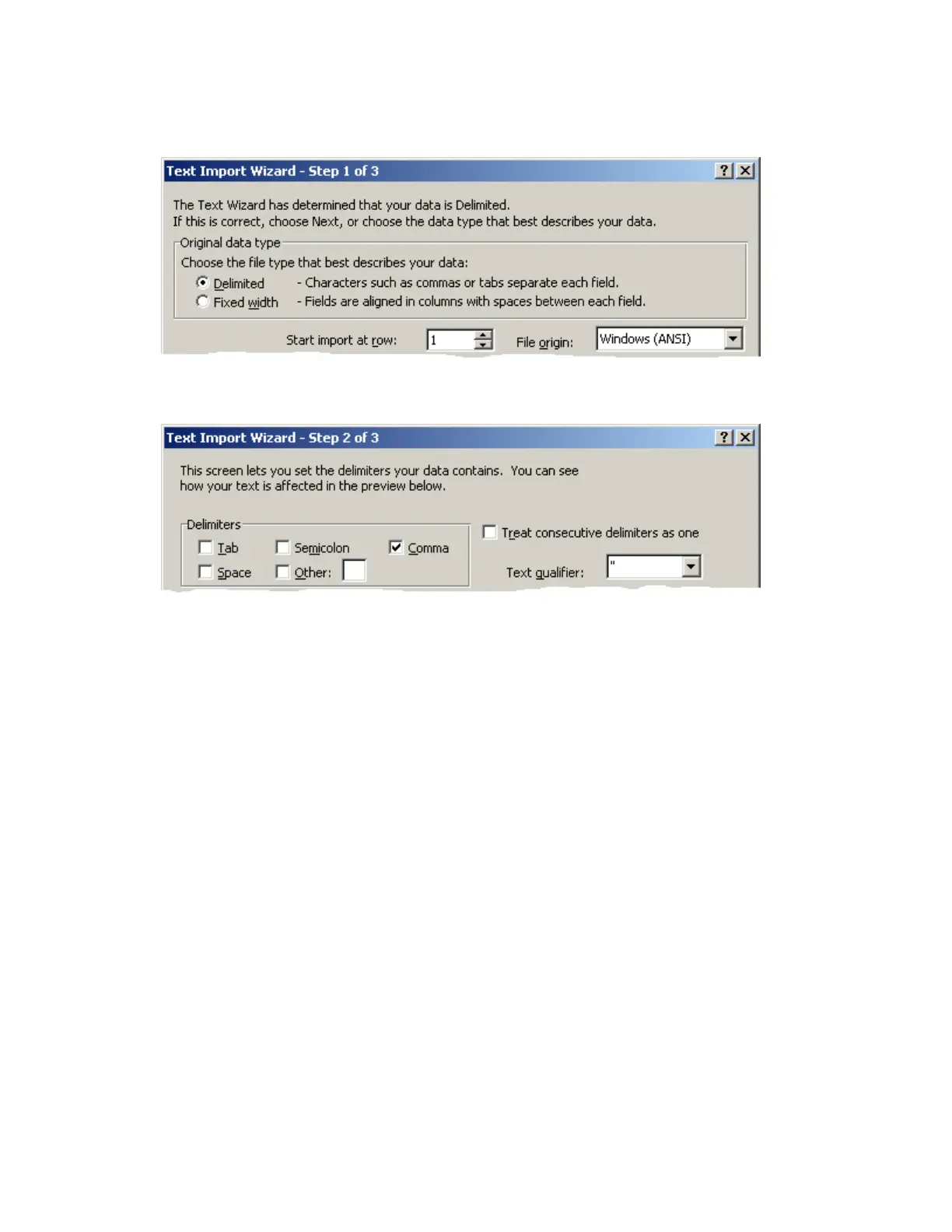
13.Select the following options to format the imported text:
a) Original data type: Delimited. Click Next to continue.
b) Delimiters: Select only the Comma option.
c) Text qualifier: Select “, and then click Finish.


 To Next Page
 Loading...