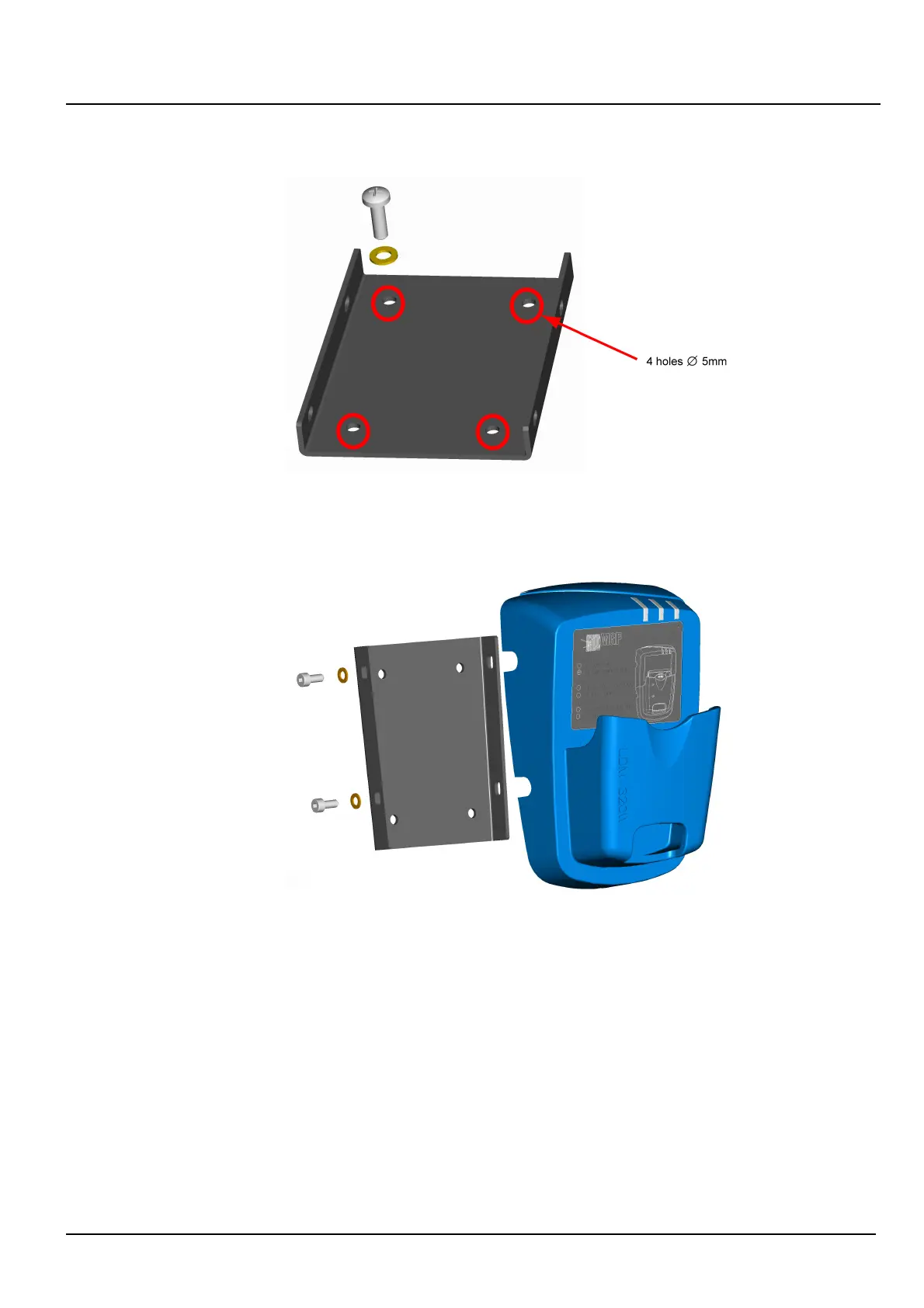
Figure 4 - Back-facing Screw Holes
Then secure the reader using the attaching plate (located behind the reader) to the wall
mount by screwing it in on both sides (four 4x10 CHCM screws).
Figure 5 - Mounting Reader
3.2. Installation of USB Driver
Some software programs such as DMCUser automatically install the USB driver specific to
the LDM 320 readers.
In the event of malfunction (hardware type not detected), the driver can be checked for
correct installation by using the instructions below.
LDM 320 Installation, Connection and Start-up
150532EN-C
Publication, traduction et reproduction totales ou partielles de ce document sont rigoureusement interdites, sauf autorisation écrite de nos services.
The publication, translation or reproduction, either partly or wholly, of this document is not allowed without our written consent. Format 112175C.
7













 To Next Page