3.2.1. Checking the LDM 320 Driver Installation
In order to check this driver for correct installation, follow the instructions below:
Connect the LDM 320 reader to the computer USB port once the driver is installed.
Using Windows, select the "Workstation" and right-click with the mouse.
Select "Properties." The "System Properties" screen will display.
Select the "Hardware" tab and then "Device Manager."
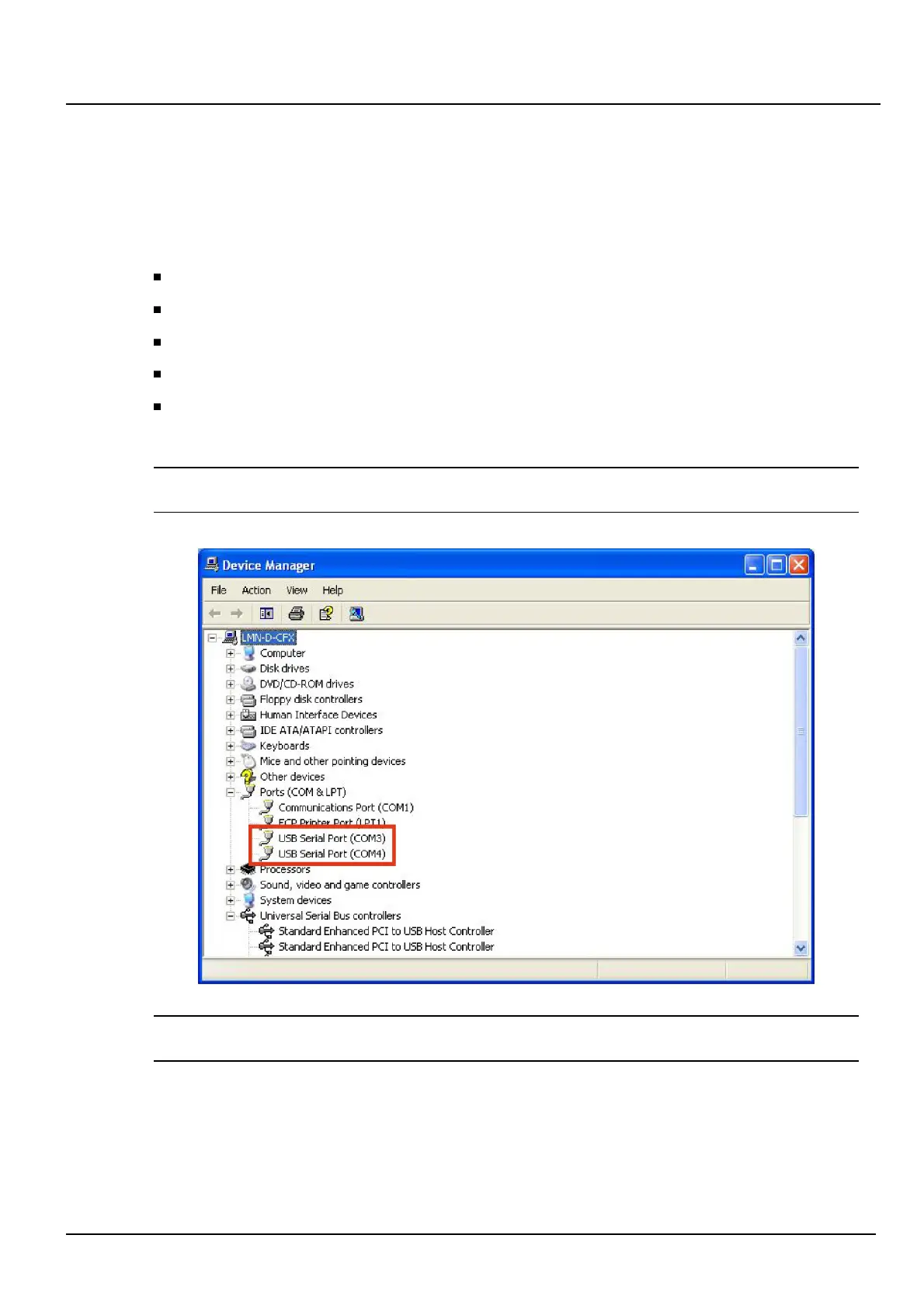
Drop down the list of Ports (COM and LPT) and check that the two "USB Serial Ports
(ComX)" are present.
Note: X designates the port number used. It may differ with the PC and available ports. It
represents ports 3 and 4 in this example.
Note: When you disconnect the LDM 320, the COM Device Port disappears.
When you reconnect the LDM 320, the COM Device Port reappears.
Installation, Connection and Start-up LDM 320
8
Publication, traduction et reproduction totales ou partielles de ce document sont rigoureusement interdites, sauf autorisation écrite de nos services.
The publication, translation or reproduction, either partly or wholly, of this document is not allowed without our written consent. Format 112175C.
150532EN-C













 To Next Page