Page | 26 © Mitchell & Johnson UK 2015 WLD+211 IB Ver 1.0 Rev 0.0
Wake-on-LAN
If shared media is selected, a list of available music
servers will be displayed. If a question mark
appears before the server name, this indicates that
the server has been seen before and supports
Wake-on-LAN functionality, but cannot currently be
found on the network. If a server with a question
mark is selected by the user, the device will try to
wake the server up and connect to it. In some
instances this may not be possible as the server
may not be connected to the network any more or
may be switched off.
Prune servers
From time to time it may be necessary to remove
servers displaying question marks in front of the
server name from the server list. For example, if the
device is moved to a new network or if a Wake-on-
LAN server is removed from your current network.
To perform this function, go to
Menu > Prune servers > Yes
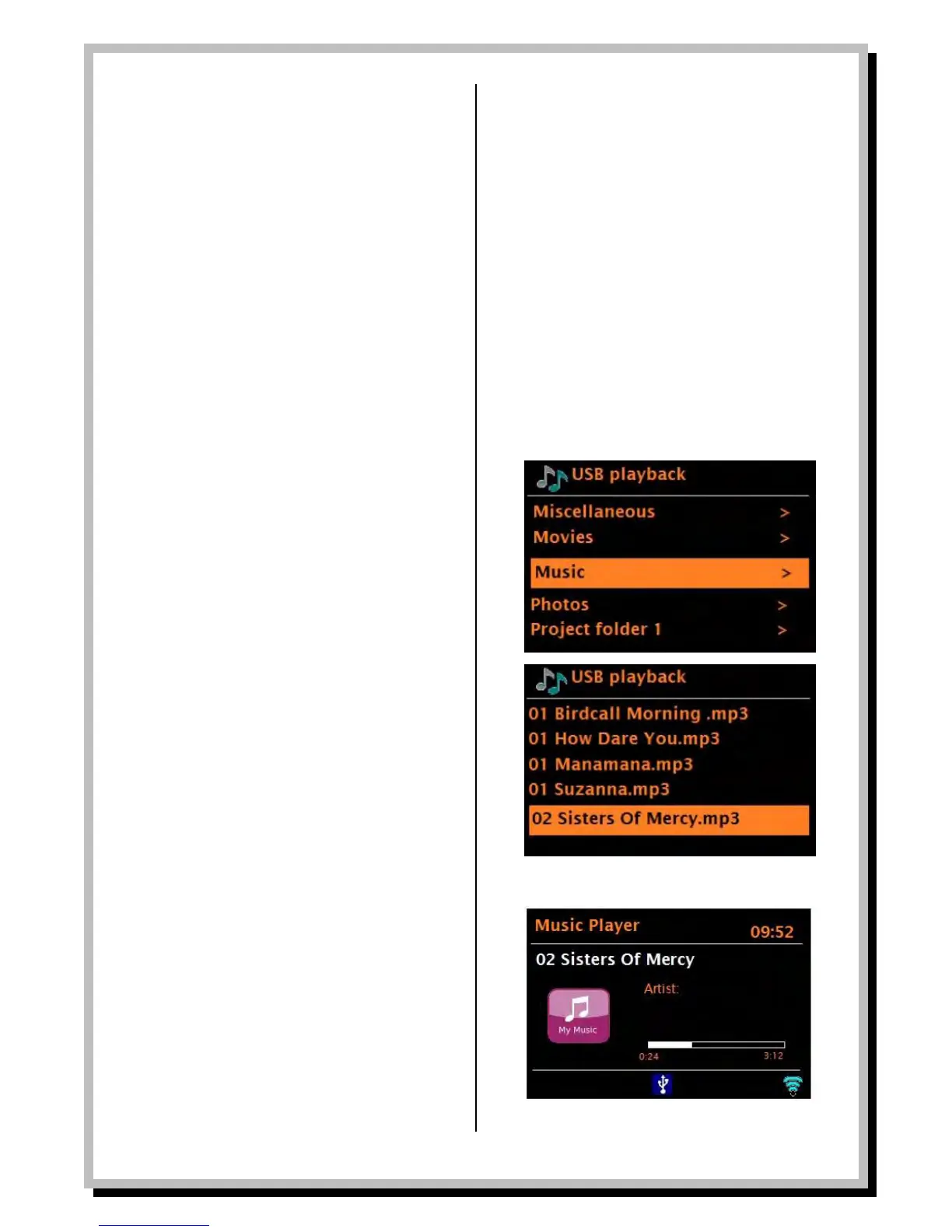
USB playback
To play audio from a USB mass-storage device such as a
USB Flash stick or USB hard drive, Select
Menu > USB playback.
Browsing folders
From this point on, menus are generated from the
folders on the USB device. Browse folders with the
Select control and Back button. The display shows folder
and file names (not necessarily track names). Once you
have found a track that you want to play, press Select. A
short press plays the track immediately and a long press
adds the track to the playlist. You can also add entire
folders to the playlist. The WLD+211 plays either the
selected track or the playlist.
Viewing track metadata
While a track is playing, you can view extra information
about it (called metadata) by pressing Info. Each time
you press Info, a different item of metadata is displayed.
See Now Playing section on page 29 for descriptions of
the metadata for UPnP and USB.


 To Next Page