Mitel
®
5312/5324 IP Phone User Guide – Issue 3, February 2011 Page 13
Personalizing Your Phone
Personalizing Your Phone
This chapter describes features you can use to personalize your IP phone.
Adjusting the Viewing Angle
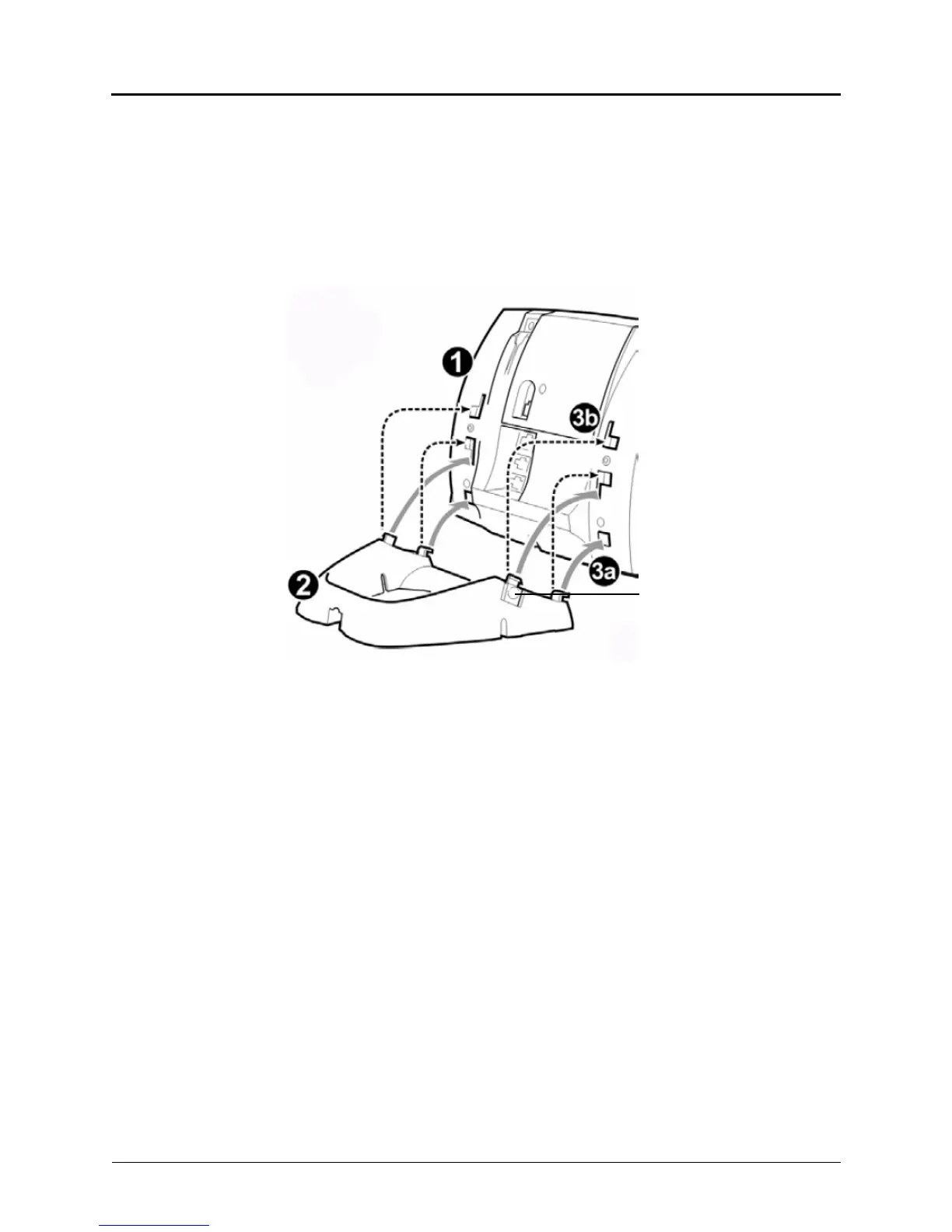
You can tilt the IP phone stand for a better view of the buttons and display.
To adjust the viewing angle:
1. Turn the IP phone so it faces away from you.
2. Hold the base firmly, and then press the tabs on the sides of the stand to release and
detach the base unit.
3. Hinge the hooks on the base unit into the notches on the back of the IP phone, and then
snap into place as follows:
For a high-angle mount, hinge the two lower hooks into the bottom set of notches,
and then snap the two upper hooks into the middle set of notches.
For a low-angle mount, hinge the two lower hooks into the middle set of notches,
and then snap the two upper hooks into the top set of notches.
Press tabs on both sides
to release and detach unit.





 To Next Page