STATUS SCROLL DELAY
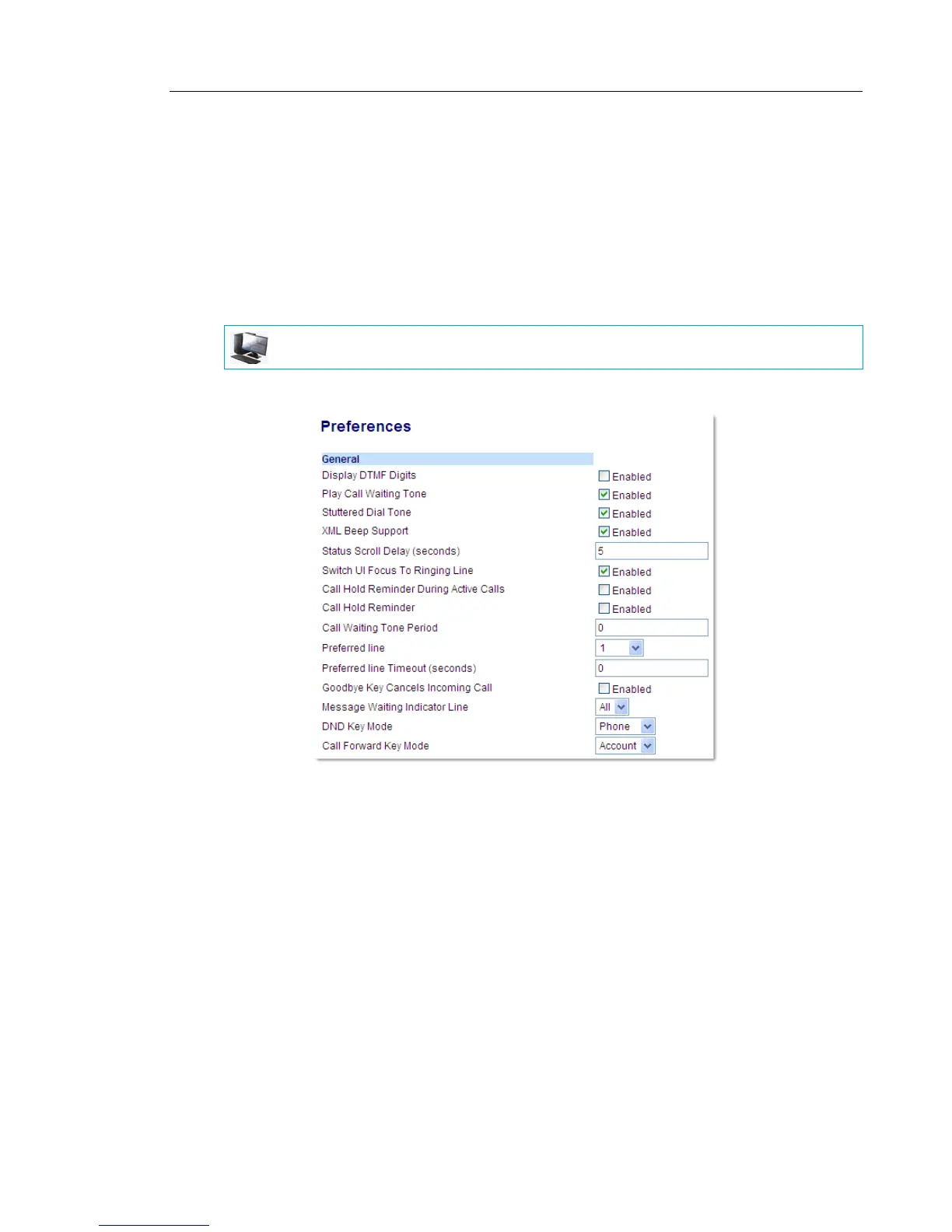
Using the Mitel Web UI, you can specify a scroll delay option that allows you to set the time
delay, in seconds, between the scrolling of each status message on the phone. You can specify
this setting in the Status Scroll Delay (seconds) field at the path Basic Settings > Preferences
> General. The default time is 5 seconds for each message to display before scrolling to the
next message. You can increase or decrease this time as required. Setting and saving the value
in the Mitel Web UI applies to the phone immediately.
CONFIGURING STATUS SCROLL DELAY
1. Click on Basic Settings > Preferences > General.
2. Enter a value in the Status Scroll Delay (seconds) field. Valid values are: 1 to 25 seconds.
Default is 5.
3. Click Save Settings.
MITEL WEB UI



 To Next Page