Line Keys and Programmable Keys
4. In the Line field, select a line for which to apply the speed dial to. Valid values are 1 and 2.
5. Click Save Settings.
DO NOT DISTURB (DND) KEY
The IP phones have a feature you can enable called Do Not Disturb (DND). Configuring a DND
key allows you to quickly turn the DND feature on or off.
f DND is enabled, callers calling into the phone hear a busy signal or a message, depending
on how your System Administrator set up the configuration server. The second line on the
screen of the IP phone shows when DND is set.
If the phone shares a line with other phones, only the phone that has DND configured is affected.
For more information about DND and DND modes, see “DND Configuration” on page 114.
CONFIGURING A DND KEY
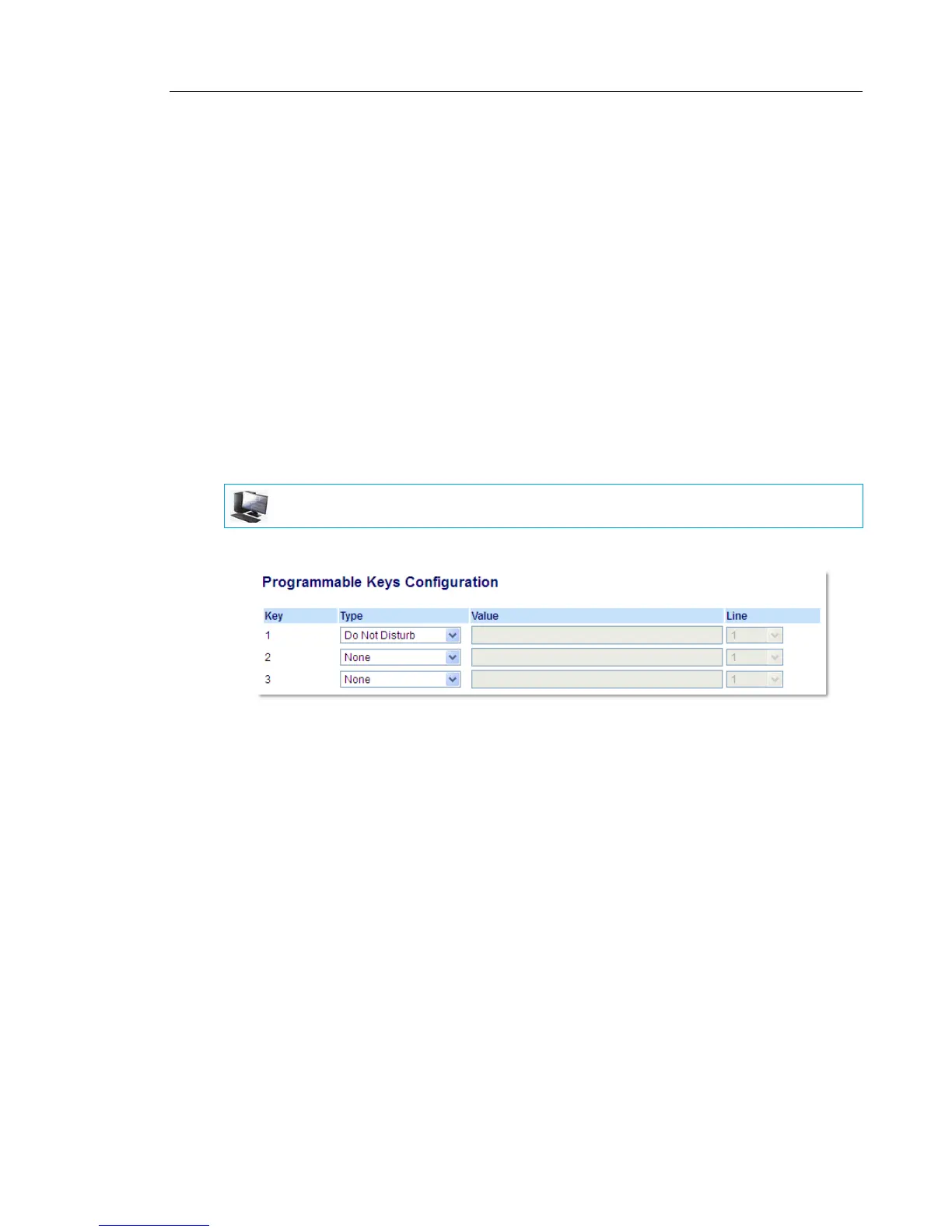
1. Click on Operation > Programmable Keys.
2. Select from Key 1 through Key 3.
3. In the Type field, select Do Not Disturb.
4. Click Save Settings to save the DND key setting.
MITEL WEB UI



 To Next Page