Line Keys and Programmable Keys
SPRECODE KEY
You can set a programmable key to automatically activate specific services offered by the
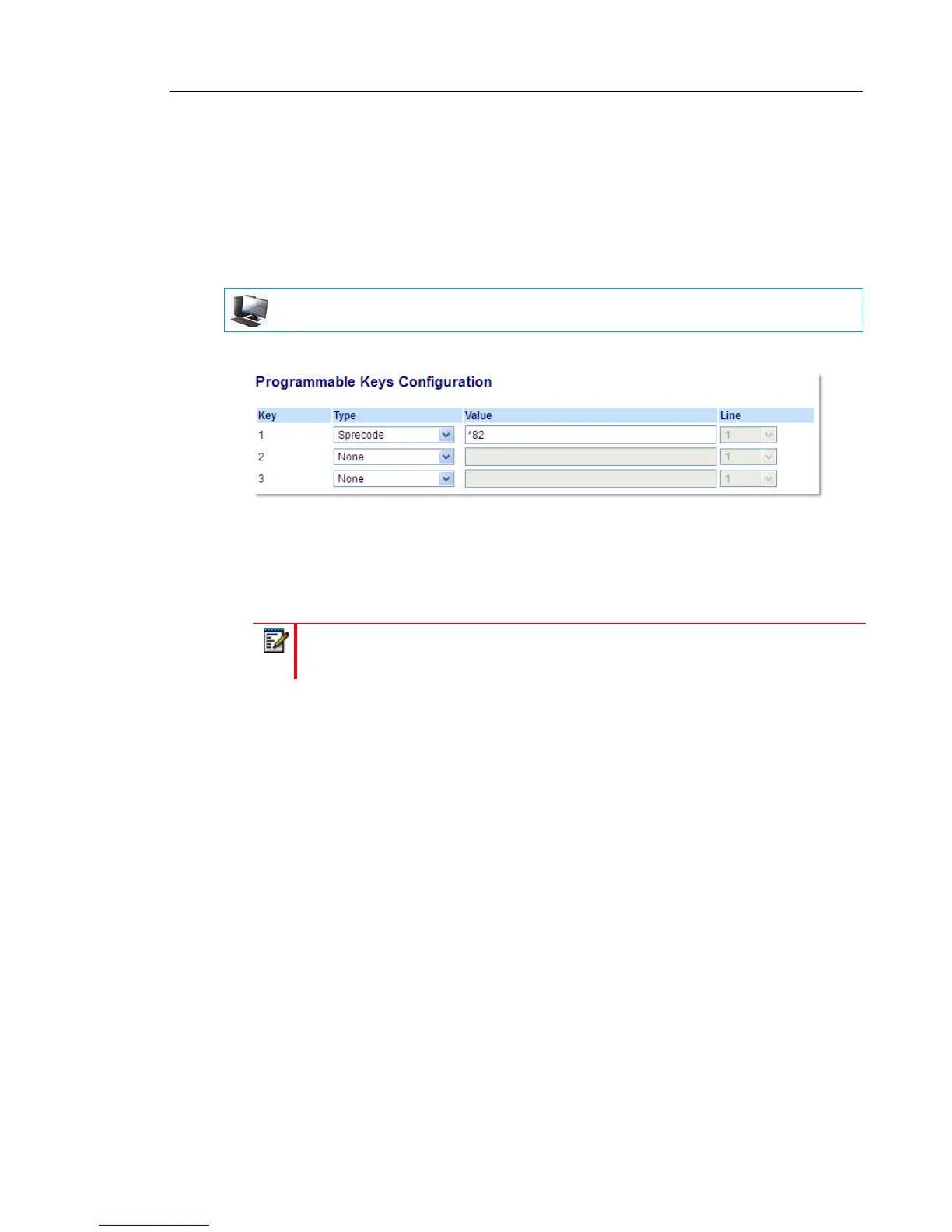
server. For example, if the sprecode value of *82 is configured, then by pressing the Sprecode
key, *82 automatically activates a service provided by the server. Contact your System
Administrator for information about available services.
CONFIGURING A SPRECODE KEY
1. Click on Operation > Programmable Keys.
2. Select from Key 1 through Key 3.
3. In the Type field, select Sprecode.
4. In the Value field, enter the appropriate value for accessing specific services from the
server.
5. Click Save Settings.
MITEL WEB UI
Note: For values to enter in this field, contact your System Administrator.



 To Next Page