INSTALLING CHASSIS IN A CABINET
25 20/1531-ASP11301 Uen B5 2017-03-23
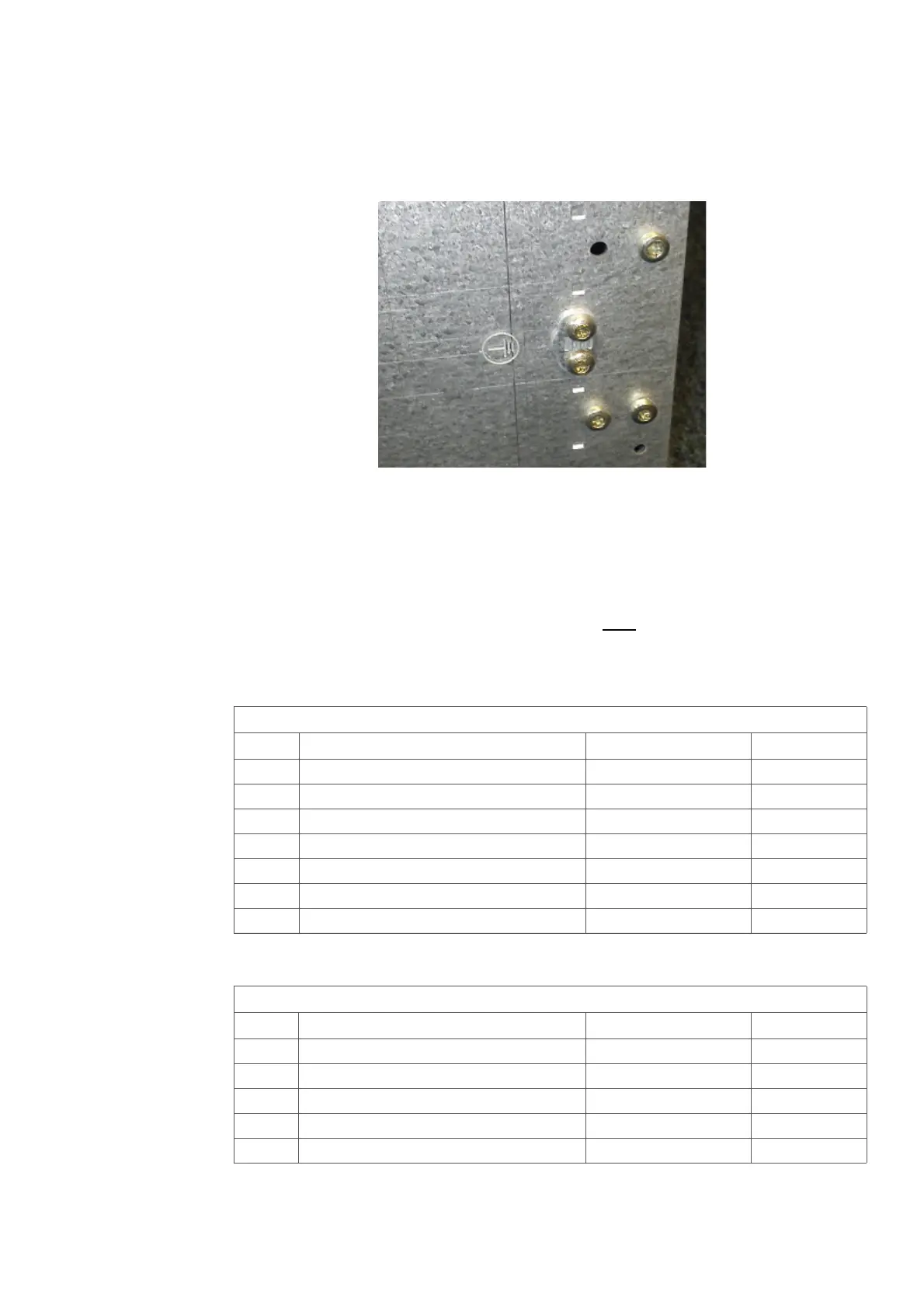
Note: This equipment have to be connected to protective ground. Connect a
grounding cable to the bracket at the earthing point, close to the earthing symbol
located at the right hand side of the chassis. See Figure 19:Earthing point
7U-chassis on page 25.
Figure 19: Earthing point 7U-chassis
This section also describes installation of two subracks, the upper called A and the
lower called B. Both can of course be a Subrack A.
Use the following material sets when installing the MX-ONE Classic and Fan Unit:
Note: If only one subrack is to be installed mount the lower air plate on this subrack.
To fulfill the demands on Fire Enclosure for the 7U chassis, the Air plate
SXA1122330/1 included in NTM144262 have
to be mounted.
For instructions see 2.6.1Mounting the Lower Air Plate on page 27.
Table 11 Mounting Set for Subrack A
Table 12 Mounting Set for Subrack B
NTM 144 262 Mounting set for subrack A
Pos. Title/Function Product Number Quantity
D AIR PLATE, upper SXA 112 2329/1 1
E AIR PLATE, lower SXA 112 2330/1 1
C SCREW M 6X16 78/SBA 121 060/0160 8
A CAPTIVE NUT M6 SBM 173 060/03 8
F SCREW M 4X6 24/SBF 228 040/0060 2
G CABLE LUG SNG 804 23 1
K LABEL FOR ESD SVB 129 05/2 1
NTM 144 263 Mounting set for subrack B
Pos. Title/Function Product Number Quantity
H Air plate, front SXA 112 2331/1 1
I Air plate, rear SXA 112 2332/1 1
C SCREW M 6X16 78/SBA 121 060/0160 4
A CAPTIVE NUT M6 SBM 173 060/03 4
F SCREW M 4X6 24/SBF 228 040/0060 2



 To Next Page