B-4
1 Outline
1.2 Setup Procedure Before Starting Operation
FX
3U
/FX
3UC
Series PLC User's Manual - Analog Control Edition
FX3UC-4AD (4-channel Analog Input)
1.2 Setup Procedure Before Starting Operation
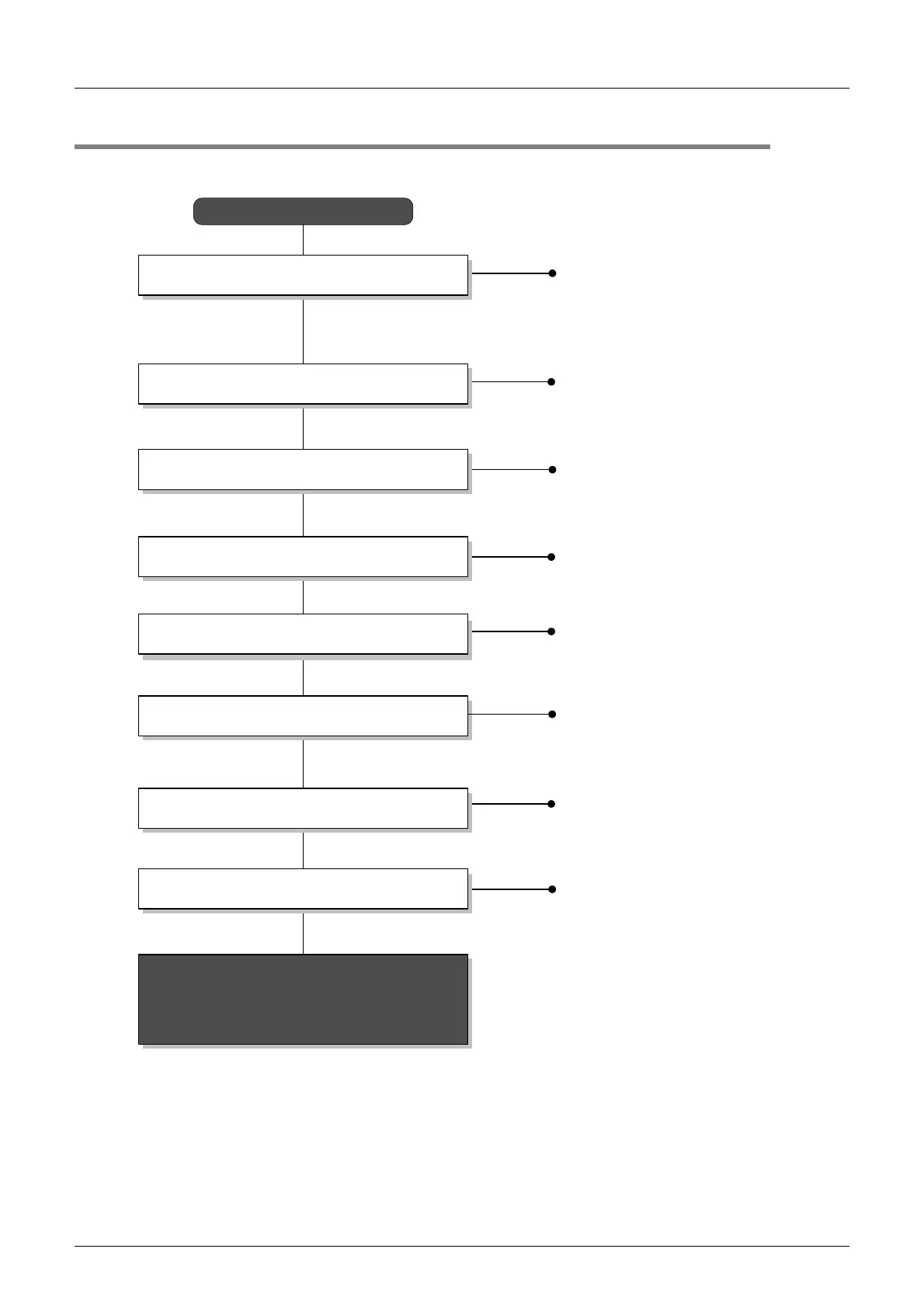
Before starting analog input using 4AD, follow the procedure below to set up the system:
Specifications:
•
Operation environment
•
Performance specifications
•
Input characteristics
Check of specifications
Refer to Chapter 2.
System configuration and selection
Wiring
Refer to Chapter 3.
FX
3UC
-4AD
Refer to the common
pages.
Wiring:
•
Power supply line
•
Analog input line
Outline of system:
•
Version number of compatible PLC
•
Version number of compatible
programming tool
Outline
Refer to Chapter 1.
System configuration:
(Refer to the analog control common
pages.)
•
Selection of units
Program edit:
•
Basic program
•
Convenient function program
If the error status data or the input analog value is
abnormal, refer to Chapter 8 "Troubleshooting."
Program edit
Adjustment of input characteristics
Refer to Chapter 6.
Adjustment of input characteristics:
•
Input characteristics change procedure
Buffer memory (BFM) check
Refer to Chapter 5.
Buffer memory:
•
Buffer memory read/write method
•
List of buffer memories
•
Details of buffer memory
Refer to Chapter 7.
Analog data reading (test program)
Refer to Chapter 4.
Input mode specification:
•
Input mode specification program for
channel 1 through 4

 To Next Page
 Loading...