48
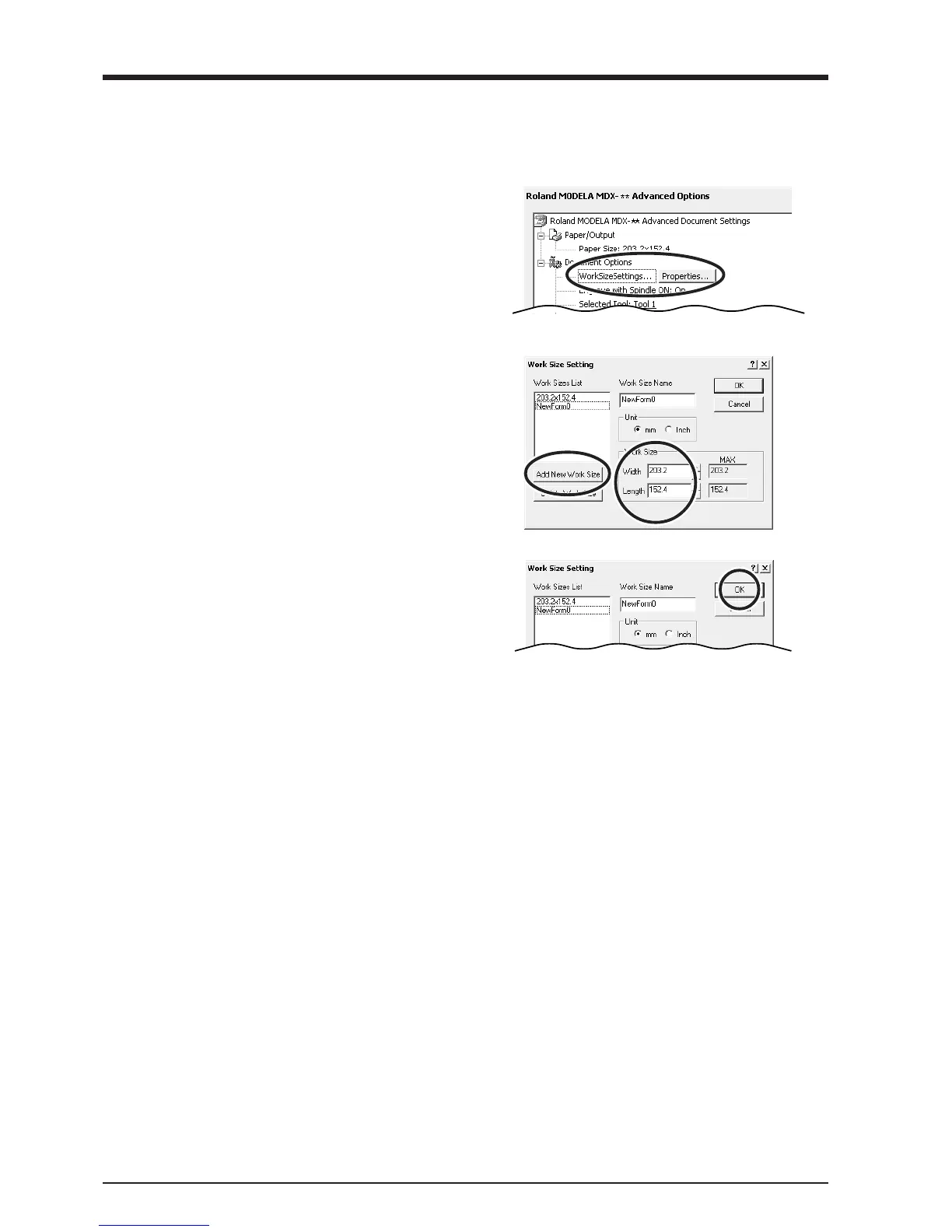
Enter the Cutting Area
Enter the size of the plate installed on MODELA.
1
Windows NT4.0:
Under [Document Options], click [Work Size Settings].
Windows 2000/XP:
Under [Document Options], click [Work Size Settings].
Click [Properties].
The [Print Setup] dialog box appears.
2
Click [Add New Work Size], then for [Work Size], enter
values for [Width] and [Length].
3
Enter the [Work Size Name], then click [OK].



 To Next Page