IP67 Digital I/O Modules for EtherNet/IP
2. Use Molex EtherNet/IP Tools
To change the IP settings of the module, you have to use a software tool like Molex EtherNet/IP Tools
that manages Explicit Messaging requests to access module CIP objects (0xF5 TCP/IP and 0xF6
Ethernet Link) to set parameters like:
o Static or dynamic IP addressing
o IP address
o Network mask
o Etc.
The software can be download free-of-charge here.
There is no installation setup. Just copy the files in a new folder and launch EIP_Tools.exe.
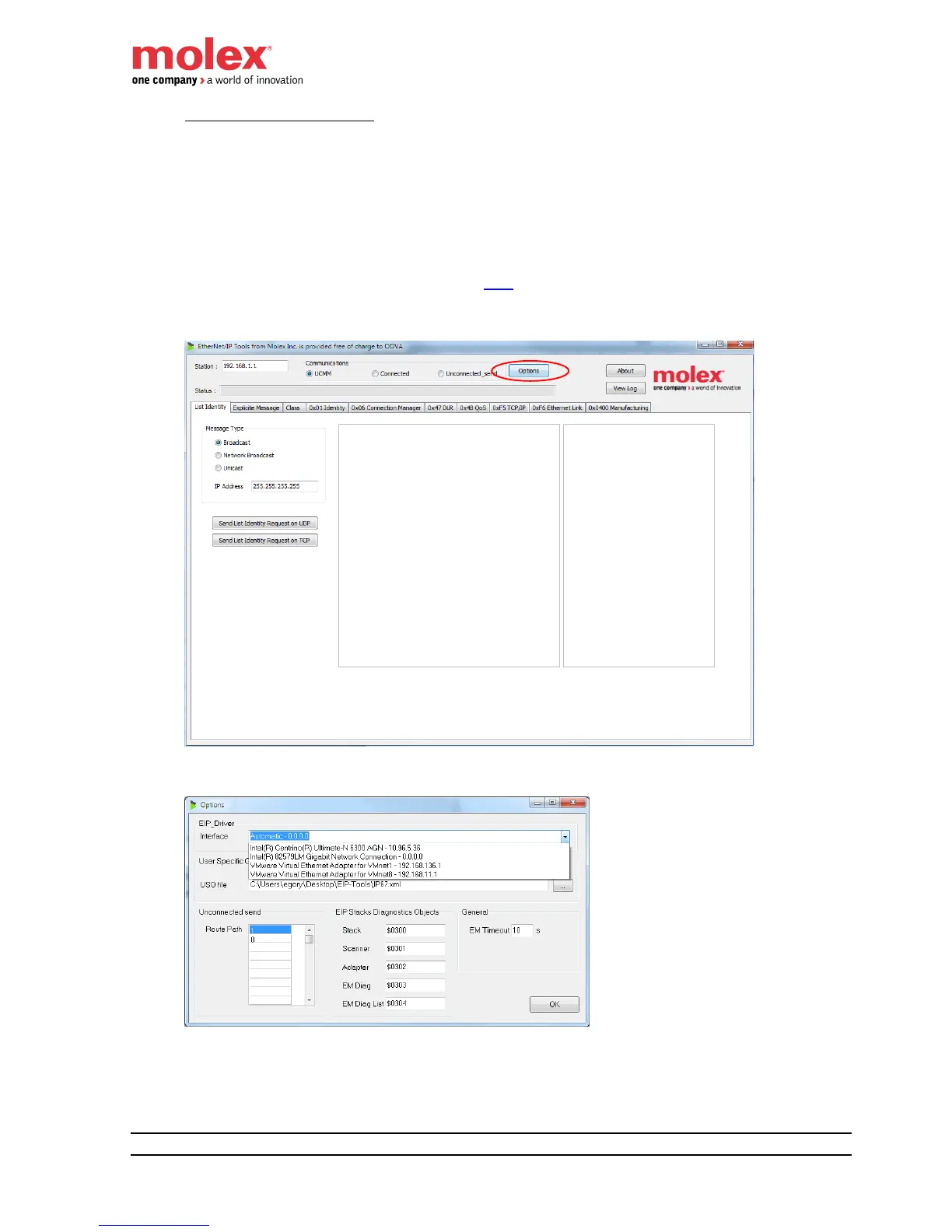
Select your computer Ethernet interface by clicking Options.
Select Send List Identity Request on UDP to discover all the EtherNet/IP devices connected to the
network. Select a device in the list


 To Next Page