IP67 Digital I/O Modules for EtherNet/IP
Display information
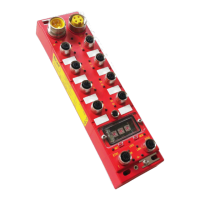
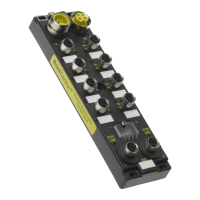
The 4-digit LED display shows the Ethernet configuration and the global state of the module.
Information present into the display:
Module information
o NEED RESET: Means that the module requires a reset via software (using CIP Identity object) or
a power cycle
Ethernet IP addressing mode
o STORED_IP: xxx.xxx.xxx.xxx: Stored IP Address
o DHCP: xxx.xxx.xxx.xxx: DHCP mode (assignment based on MAC address)
I/O status
o IO:ERR: I/O error detection (short circuit on output or input power supply)
Ethernet information
o STARTING...: Waiting IP address from DHCP server.
Note: The HarshIO module send a DHCP request with an infinite lease (The IP address assignes
never expired). According the configuration of the DHCP server, it can accept or modify the
lease to a different period.
o IPCONFLICT: The module has detected an IP address conflict
o WAIT LINK: No link has been detected on the both Ethernet ports. If the IP address is
configured as static then the IP address will be displayed
EtherNet/IP Information
o EIP:NO_CNX: No connection is established with a scanner
o EIP:OPERATE: Connection in progress: An I/O connection was opened, but I/O data are not yet
exchanged with the scanner
o EIPRUN: The module exchange data with a scanner.
o EIP:IDLE: The connection is established, but I/O are not exchanged
o EIP:TIMEOUT: The connection has been lost with a scanner
o EIP:CLOSE: The close connection has been received from a scanner
o RST: The module has received a "reset" command on the Identity Object and will reboot shortly


 To Next Page