144 • Section 5 — Equipment Cayman 2006
Operating the Components
To Watch TV Using the Antenna:
Press the TV ANT button located above the section marked MAIN TV on the switchbox. Turn on the TV and
select a channel. Fringe area reception can be improved by pressing the Power button on the switchbox. Follow
the same procedure for the optional bedroom TV.
NOTE:
The picture quality from the outdoor TV antenna varies depending on the location of the TV
station in relationship to the location of the TV antenna. If picture quality is poor, turn the
POWER button on the Video Selector Box. Turn off when not viewing from the antenna.
To Watch TV Using the Shore Cable Signal:
Press the CABLE TV button above the section marked MAIN TV. Turn on the TV and select a channel.
NOTE:
To view Cable TV signals, hook a 75-Ohm cable from the supplied service to the Cable TV
input in the Water Service Compartment. Cable TV inputs are available at many of today’s
campgrounds.
To Play a DVD:
Press the POWER button on the DVD player. Press the SOURCE button on the DVD player or select
DVD on the DVD remote. Turn on the TV and select Channel 3. Press DVD on the Video Selector Box. Open
the tray and place a disc on the tray label side up. Press PLAY on the DVD remote. Adjust the volume using
the TV remote.
To Play a DVD on the Optional Surround Sound System:
Turn on the TV and Surround Sound System. Select Channel 3 on the TV and press DVD on the Video
Selector Box in the section marked MAIN TV. Press the SOURCE button on the Surround Sound remote until
DVD displays. Place a DVD on the tray, label side up, and press PLAY on the Surround Sound remote. For
full surround effect reduce TV volume to zero using the TV remote and adjust the surround volume using the
Surround Sound remote.
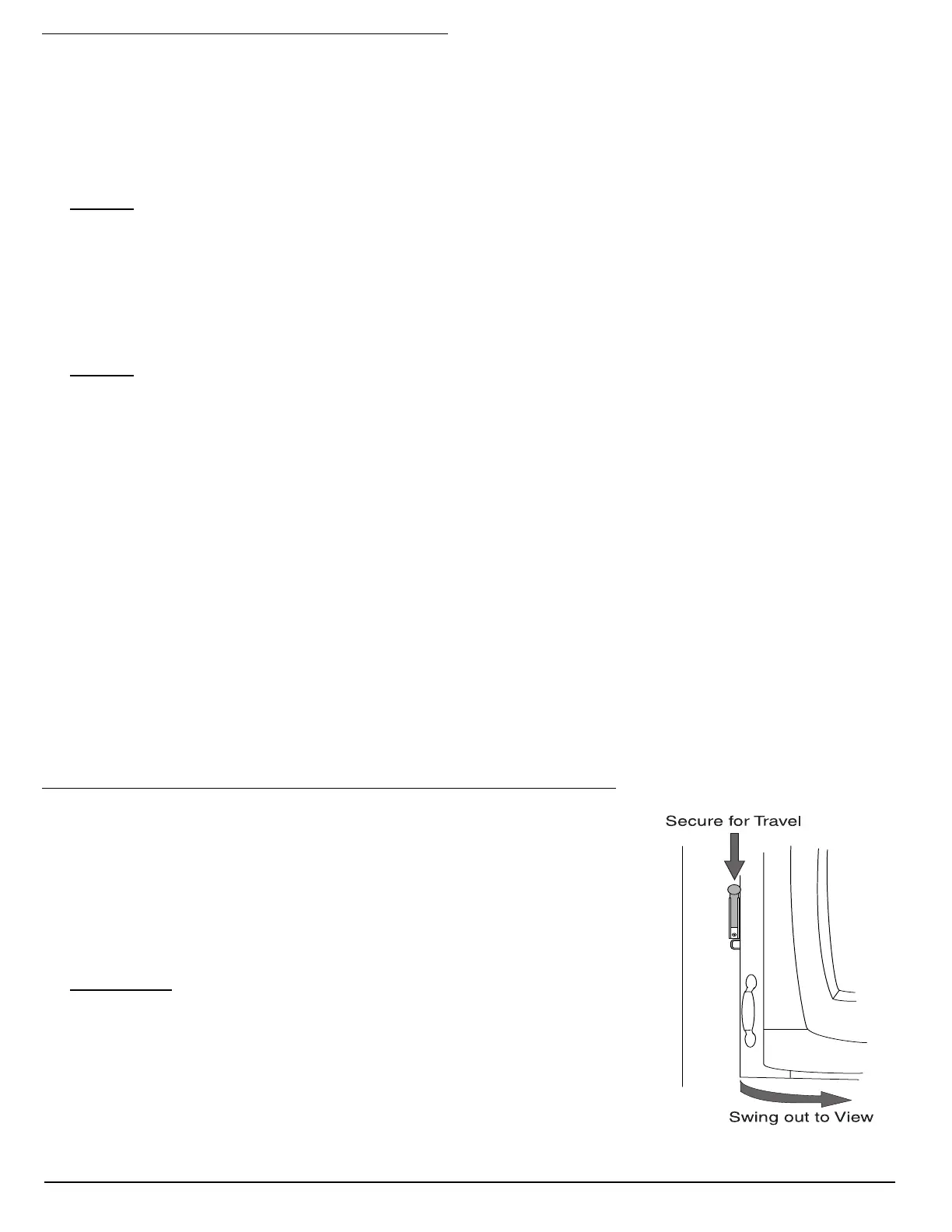
BEDROOM TV SWIVEL
Bedroom TV Swivel (available on certain models):
• Unlock the TV (only when the motorhome is parked).
• Pivot the TV outward to desired angle.
• Stow the TV into the cabinet when preparing for travel. Lock the TV into
position.
CAUTION:
Failure to lock the TV in the travel position can result in damage
to the TV and cabinetry.
020257





 To Next Page