DEVICE DESCRIPTION OF MONI LOG® ENDAL SMART EnDaL smart
- 16 -
Battery change
Prior to the battery change, the EnDaL smart must be properly switched off.
Otherwise a data loss of the device cannot be excluded.
Attention:
Ensure the right polarity when inserting the batteries!
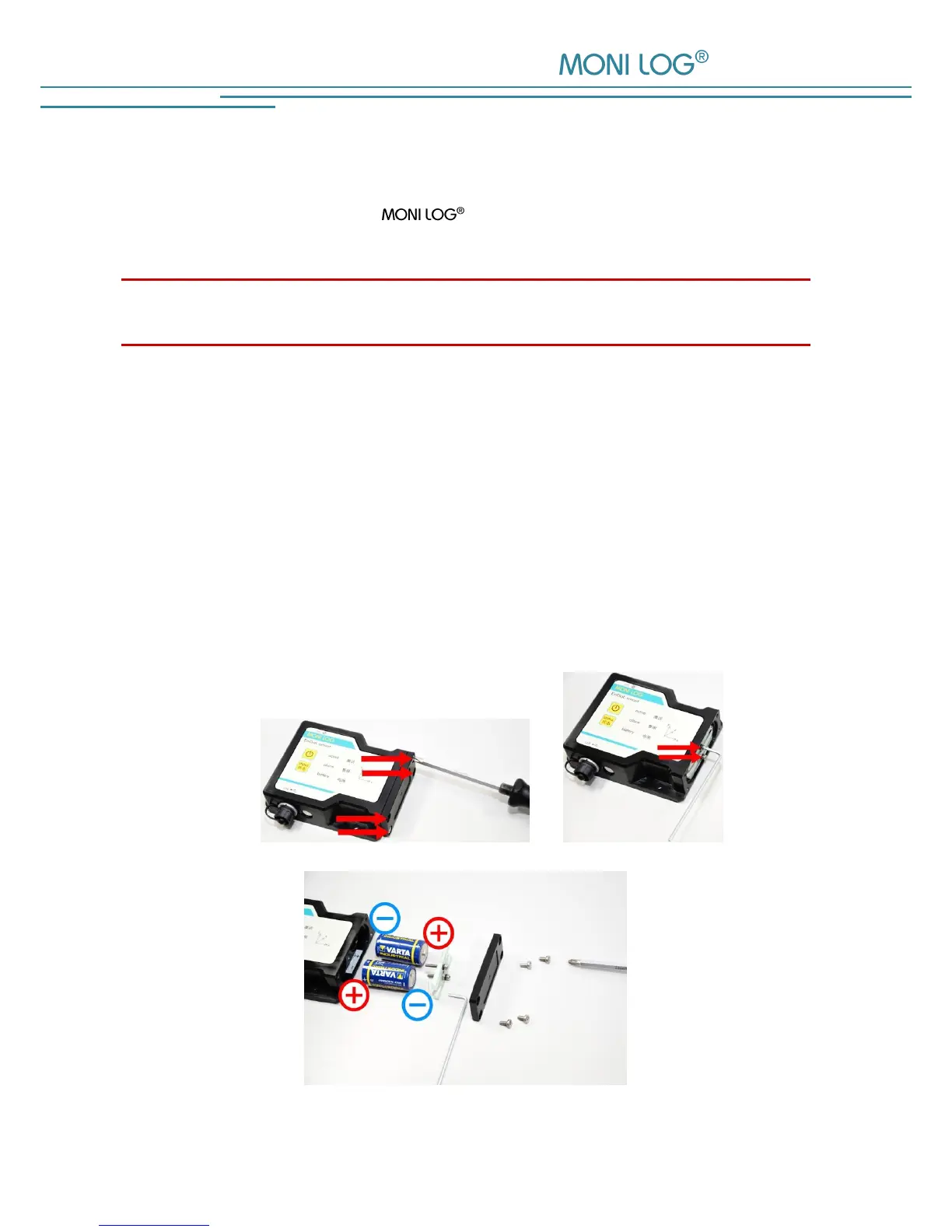
For the change of the batteries proceed as follows:
1) Remove the battery cover by loosening the fastening screws by means of a screw driver (cross
recess, H size2).
Remove the battery bridge by loosening the fastening screws by means of a screw driver
(hexagon socket, size 2.5 mm). Afterwards, you can simply remove the batteries.
2) Now insert the new battery according to the specified polarity into the device.
3) In a last step, screw in tight again the battery bridge and the battery cover. Please take into
account the maximum tightening torque of 0.5 Nm.


 To Next Page