EnDaL smart PC SOFTWARE – MONI LOG® ANALYZER
- 39 -
Export and representation of the GPS recording in Google Earth
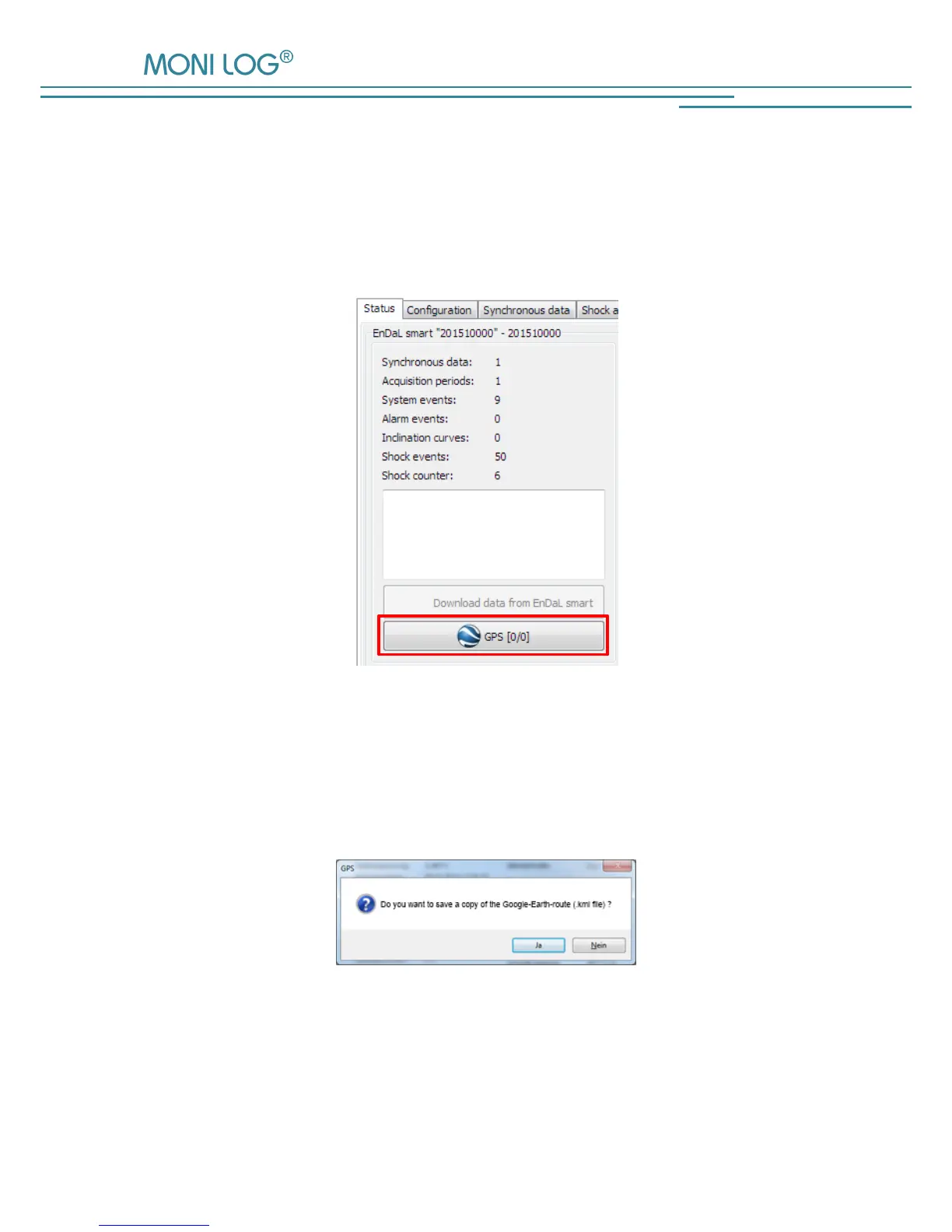
The recorded GPS data can be viewed with the aid of Google-Earth. In order to create a
corresponding route coordinates file, click in the menu tab “Status” on the button “GPS” (see
Figure 27). The number indicated in brackets corresponds to the number of the recorded GPS
data sets.
Figure 27: Reading out the recorded GPS data
The notification window that opens up subsequently (see Figure 28) allows to additionally save
the created position data in the selected format in any directory by clicking on „Ja“ (Yes). By
clicking on „Nein“ (No), no the file will not be saved additionally.
Figure 28: Additional saving of the created .gpx or .kml-file to a
user-defined memory location.


 To Next Page