Page 19
CLOCK / ROUND TIMER
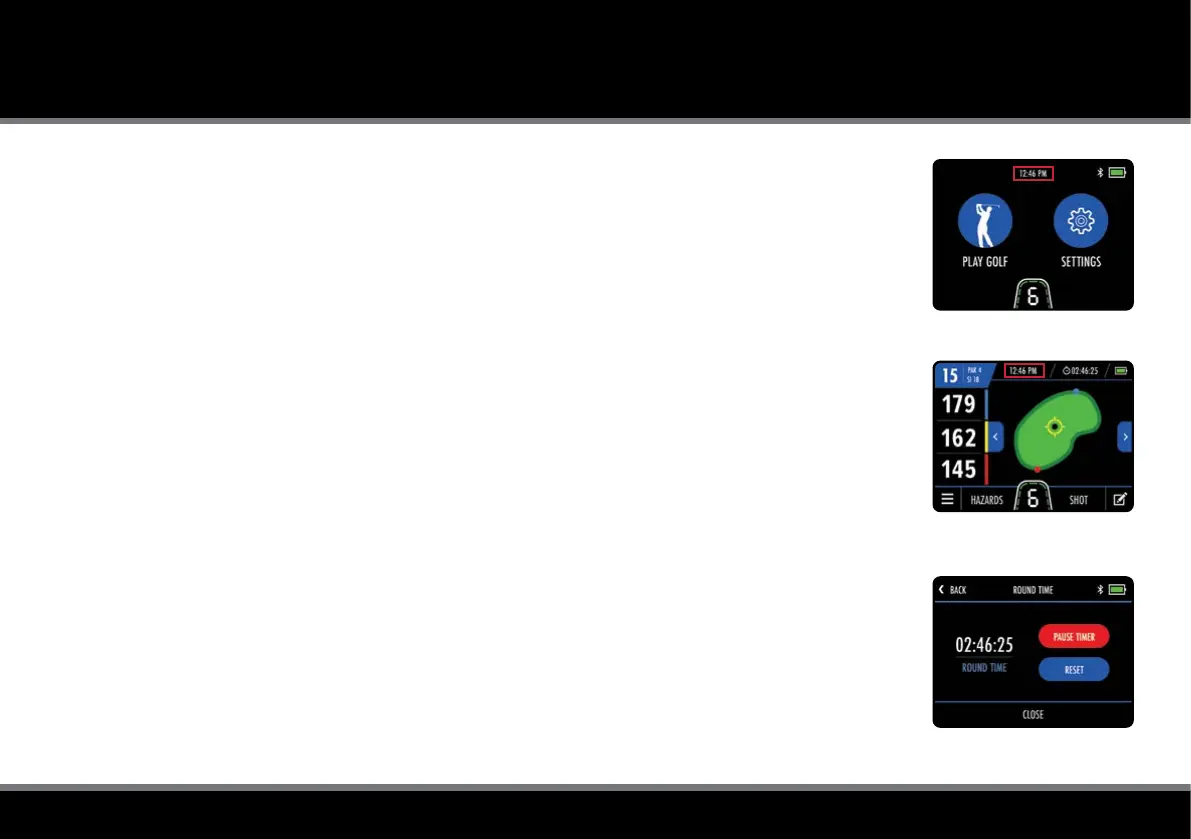
Fig 2 - GPS Mode - Clock
Fig 1 - Home - Clock
Fig 3 - Round Timer Settings
Clock Settings
The M-TECH GPS includes a clock which is visible on the Home (g. 1) and GPS Mode (g. 2) screens.
The clock will set automatically each time the trolley is turned on and either has a strong enough GPS
signal or connects to a WIFI network.
It is possible to change the clock format and time zone settings. Starting on the Home screen,
select “Settings” and then “Time” from the settings menu. You will then have the option to change
the following options:
• Format (12 hour / 24 hour)
• Time Zone (GMT +/- 12 hours)
• Daylight Savings Time (On / Off)
Please be aware that the clock will only be displayed when an accurate time signal has been received.
Round Timer
The round timer is displayed at the top of the GPS Mode screen next to the clock and will start
counting as soon as you enter GPS mode and select a course.
You can view, pause and reset the timer (g. 3) by selecting it on the display.
If reset, the timer will stop and you will need to select "Start" to begin counting again.



 To Next Page