Page 24
HAZARD INFORMATION
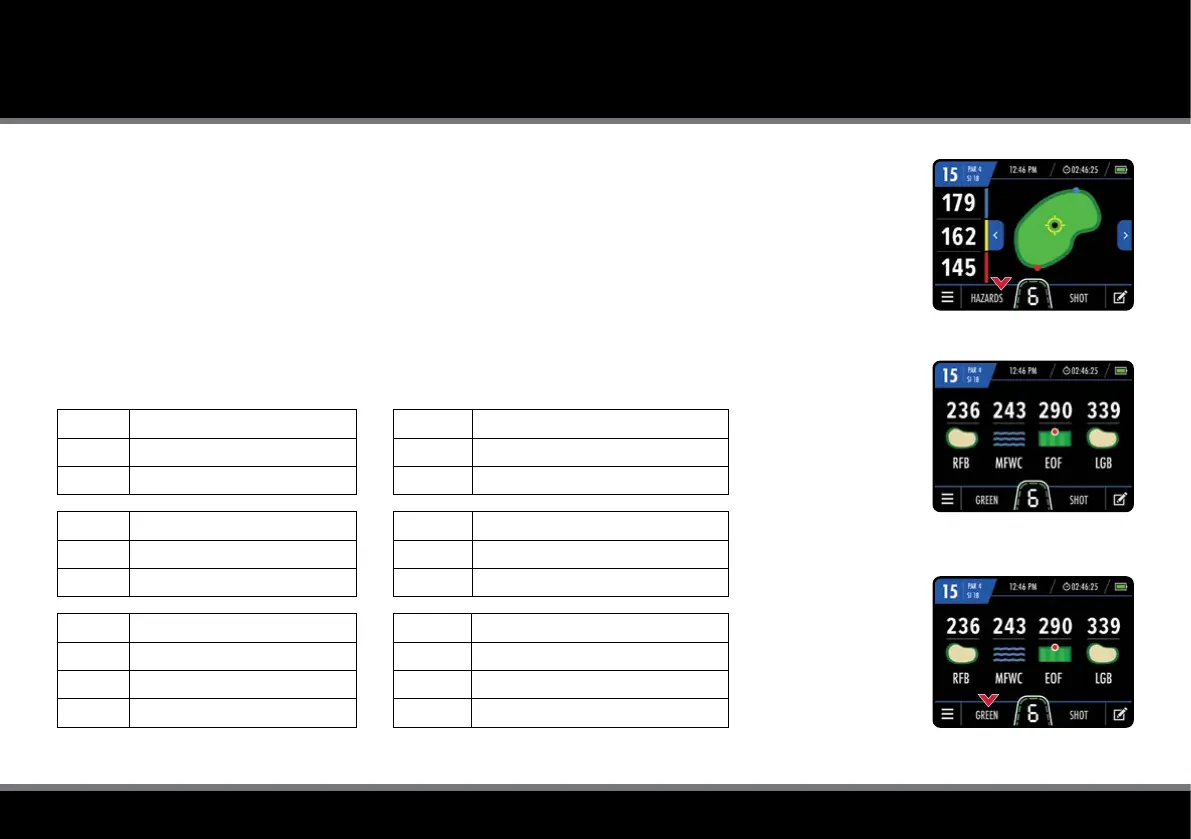
Fig 1 - GPS Mode
Fig 2 - Hazard Information
Fig 3 - Hazard Information
Hazard Information
The trolley also includes a list of on-course hazards. You can view the hazards for the hole you are
currently playing by selecting “Hazards” at the bottom of the GPS Mode screen (g. 1). Once selected,
the screen will provide distances to the closest four hazards (g. 2). All distances are to the front of the hazard,
except carry distances which are to the back. It will only display hazards between you and the green.
You can switch back to the green view by tapping “Green” (g. 3).
List of Hazard Abbreviations
LFB Left Fairway Bunker
MFB Middle Fairway Bunker
RFB Right Fairway Bunker
LFWC Left Fairway Water Carry
MFWC Middle Fairway Water Carry
RFWC Right Fairway Water Carry
LFW Left Fairway Water
MFW Middle Fairway Water
RFW Right Fairway Water
CRK Creek
CRKC Creek Carry
EOF End of Fairway (Doglegs)
LGB Left Green Bunker
RGB Right Green Bunker
FGB Front Green Bunker
BGB Back Green Bunker
LGW Left Green Water
RGW Right Green Water
FGW Front Green Water
BGW Back Green Water



 To Next Page