EasyManua.ls Logo

Motorola APX - User Manual

Motorola APX
46 pages
Print Icon
To Next Page IconTo Next Page
Loading...
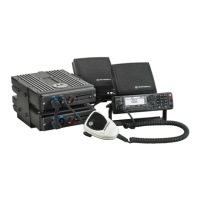
ASTRO APX MOBILE
DUAL-RADIO
O7 CONTROL HEAD
SYSTEM
INSTRUCTION
MANUAL

Table of Contents

Questions and Answers

  • L
    Latoya HallAug 3, 2025
    What to do if my Motorola APX shows a general error?
    • E
      Eric ClarkAug 3, 2025
      If your Motorola Radio displays a general error, consult the error codes table to find appropriate corrective actions. For example, if there are FLASH ROM checksum errors, try reprogramming the codeplug.
  • H
    halltroyAug 10, 2025
    What to do if my Motorola APX Radio displays 'Software Mismatch'?
    • P
      penaclaudiaAug 10, 2025
      If you see a 'Software Mismatch' error on your Motorola Radio, ensure that both radios have the same firmware version and language type.
  • F
    Francisco BergerAug 17, 2025
    What to do if my Motorola Radio displays 'Improper Radio Combinations'?
    • C
      Catherine DennisAug 17, 2025
      If your Motorola Radio indicates 'Improper Radio Combinations', make sure you're using the correct radio combinations. Avoid using two Primary Radios, two Secondary Radios, or two Standalone Radios together. Also, do not mix these combinations.
  • R
    Rebecca HerreraAug 26, 2025
    How to fix 'Control Head ID Error' on Motorola APX?
    • D
      Dana LindseyAug 26, 2025
      To resolve a 'Control Head ID Error' on your Motorola Radio, use the control head's Front Panel Programming feature to change the control head ID.

Summary

Foreword

Product Safety and RF Exposure Compliance

Details important operating instructions for safe usage and RF energy awareness.

Chapter 2 APX Mobile Dual-Radio Operation

2.3 07 Control-Head Operation

Details the operation and controls of the 07 Control Head for the APX Dual-Radio System.

2.4 Feature Operation

Describes various features available for the APX Mobile Dual-Radio System.

2.4.4 Emergency Operation

Explains how to launch emergency operations on either the selected or pre-defined radio.

2.7 Programming

Details programming procedures for APX Dual-Radio systems, including standalone and connected modes.

2.8 APX Dual-Radio User Interface

Illustrates and explains the user interface diagrams for Primary and Secondary radio selection.

Chapter 3 Codeplug Configuration

3.1.1 Enabling APX Dual-Radio as Primary or Secondary Radio

Explains how to select a radio as Primary or Secondary using the Radio Selection field.

3.1.2 Configuring APX Dual-Radio Emergency Operation

Details how to configure which radio handles Emergency Mode Operation.

Chapter 4 Troubleshooting

4.1 Power-Up Errors

Details power-up error messages displayed by the 07 Control Head for either radio.

4.1.2 Improper Radio Combinations

Describes "FL 01-90" error for incorrect radio configurations.

Chapter 5 APX Dual-Radio Installation

5.1 Installation Planning

Covers preliminary planning for system installation, component locations, and environmental considerations.

5.2.2 Cable Installation

Details the installation procedures for various APX Dual-Radio system cables.

5.2.2.2 Power and Ground Cables

Explains routing and connecting power and ground cables to the vehicle battery.

Motorola APX Specifications

General IconGeneral
BrandMotorola
ModelAPX
CategoryRadio
LanguageEnglish

Related product manuals