EasyManua.ls Logo

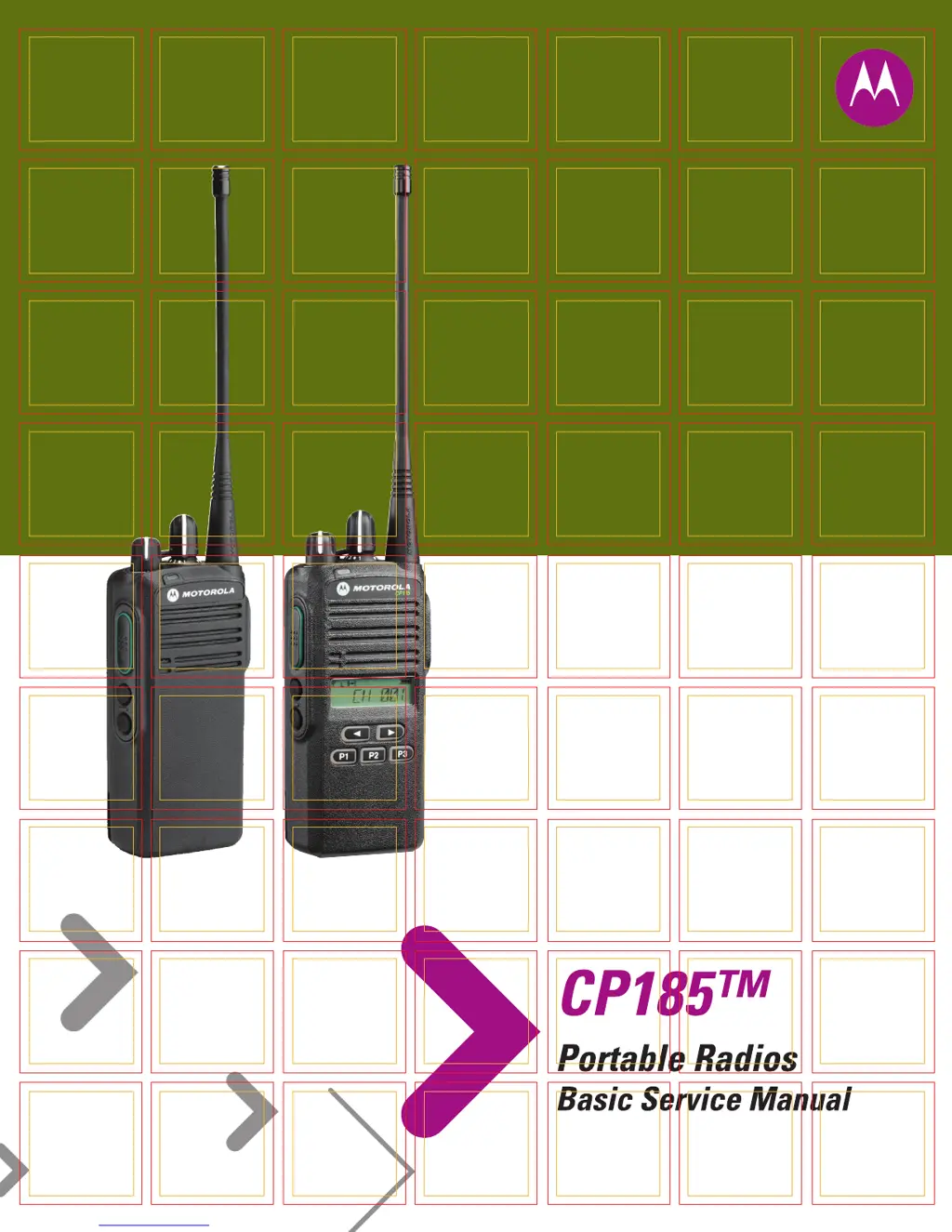
Motorola CP185 - User Manual

Motorola CP185
120 pages
Print Icon
To Next Page IconTo Next Page
Loading...

Table of Contents

Other manuals for Motorola CP185

Questions and Answers

  • J
    Joseph MackSep 10, 2025
    Why is the audio distorted or not loud enough on my Motorola CP185 Two-Way Radio?
    • W
      Willie EatonSep 10, 2025
      If the audio from your Motorola Two-Way Radio is distorted or not loud enough, it might be due to the synthesizer not being on frequency. Check the synthesizer frequency by measuring the transmitter frequency and realign it if it's off by more than ±150 Hz (VHF) or ±500 Hz (UHF).
  • M
    Michael WilsonAug 23, 2025
    What to do if I get an ERROR message when cloning my Motorola CP185?
    • P
      paul18Aug 23, 2025
      If you receive an 'ERROR' message on your Motorola Two-Way Radio during cloning, it means that cloning between the source and destination radios has failed. Check the connection between the radios and ensure you are following the correct cloning procedures.
  • T
    tinabaileyAug 25, 2025
    What does COMM ERR mean on my Motorola CP185 Two-Way Radio during cloning?
    • E
      emcneilAug 25, 2025
      A 'Communication Error' during cloning of your Motorola Two-Way Radio indicates a failure in communication between the source and destination radios. Check the connection between the radios. Ensure you are following the correct cloning procedures.
  • R
    Robert PerryAug 27, 2025
    What to do if my Motorola CP185 shows a TIME OUT error during cloning?
    • H
      hardingjohnAug 27, 2025
      A 'Time Out Error' on your Motorola Two-Way Radio during cloning indicates a lack of communication between the source and destination radios. To solve this, check the connection between the source and destination radios and ensure you are following the correct cloning procedures.
  • B
    Brian FergusonAug 27, 2025
    What does FATALERR mean on my Motorola CP185?
    • H
      Holly Anthony DDSAug 27, 2025
      If your Motorola Two-Way Radio displays 'FATALERR', it means the codeplug is corrupted. You should reprogram the codeplug with the correct version and retest the radio.
  • R
    rodriguezalexanderAug 29, 2025
    What does PLLERROR mean on my Motorola CP185 Two-Way Radio?
    • A
      Amy KimAug 29, 2025
      The 'PLLERROR' message on your Motorola Two-Way Radio indicates a PLL Unlock Error, meaning the radio cannot receive or transmit on the programmed frequencies. To fix this, reprogram the codeplug with the correct version and retest the radio.
  • A
    Ashley MclaughlinSep 18, 2025
    Why is there no or low signaling (PL, DPL, MDC) on my Motorola CP185?
    • R
      Rachel GutierrezSep 18, 2025
      If you are experiencing no or low signaling (PL, DPL, MDC) on your Motorola Two-Way Radio, check the programming.
  • T
    Tony WrightSep 12, 2025
    Why does my Motorola Two-Way Radio have poor RF sensitivity?
    • Z
      zclarkSep 12, 2025
      Poor RF sensitivity in your Motorola Two-Way Radio can be caused by several factors: * The synthesizer not being on frequency: Check the synthesizer frequency by measuring the transmitter frequency; realign if off by more than ±150 Hz (VHF), ±500 Hz (UHF). * Receiver front end tuning: Check RF front-end tuning for optimum sensitivity using the tuner.
  • S
    Sonya AllisonSep 8, 2025
    Why does my Motorola CP185 have no receive audio, or the receiver doesn't unmute?
    • T
      thomaspowersSep 8, 2025
      If you are experiencing no receive audio or the receiver does not unmute on your Motorola Two-Way Radio, check if the transmitted signal matches the receiver configuration (PL, DPL, etc.). Also, with the monitor function enabled, check if the radio can be unmuted.
  • D
    donald00Sep 5, 2025
    What does TYPE ERR mean on my Motorola CP185?
    • S
      scott34Sep 5, 2025
      A 'TYPE ERR' message on your Motorola Two-Way Radio indicates a Mismatch Radio Type Error, meaning the source and destination radio models are different. Retest by connecting the same source and destination radio model.

Summary

Safety and Compliance

Product Safety and RF Exposure Compliance

Guidelines for safe product usage and RF energy exposure.

Model Charts and Test Specifications

Theory of Operation

Test Equipment, Service Aids, and Tools

Performance Checks

Power-Up Self Test

Describes the radio's self-test routine upon power-on.

LCD;LED;Button;Volume Knob Test Mode

Procedure to activate and use the test mode for display and controls.

LED;Button;Volume Knob Test Mode (Non Keypad)

Procedure for activating and using test mode on non-keypad models.

Radio Programming and Tuning

CPS Programming Setup

Guidance on setting up the Customer Programming Software.

Radio-to-Radio Cloning

Procedure for copying radio configurations between units.

Radio Tuning Setup

Requirements and procedures for tuning the radio using PC and tuner.

Transmitter Alignment Options

Procedures for aligning transmitter power levels.

Transmit High Power Tuning

Steps to tune the transmitter's high power output.

Transmit Low Power Tuning

Steps to tune the transmitter's low power output.

Transmit Modulation Tuning

Procedures for tuning transmit modulation for 12.5 and 25 kHz.

Transmit 12.5 kHz Modulation Tuning

Procedure for tuning modulation at 12.5 kHz channel spacing.

Transmit 25 kHz Modulation Tuning

Procedure for tuning modulation at 25 kHz channel spacing.

Receiver Tuning

Procedures for tuning receiver squelch for various band/spacing combinations.

Receive 12.5 kHz-Band Normal Squelch Tuning

Procedure for tuning normal squelch for 12.5 kHz bands.

Receive 12.5 kHz-Band Tight Squelch Tuning

Procedure for tuning tight squelch for 12.5 kHz bands.

Receive 25 kHz-Band Normal Squelch Tuning

Procedure for tuning normal squelch for 25 kHz bands.

Receive 25 kHz-Band Tight Squelch Tuning

Procedure for tuning tight squelch for 25 kHz bands.

Maintenance - CP185

Safe Handling of CMOS and LDMOS Devices

Precautions for preventing damage to static-sensitive components.

Disassembly and Reassembly - General

General instructions and required tools for disassembling and reassembling the radio.

Detailed Radio Disassembly

Step-by-step instructions for disassembling the radio.

Detailed Radio Reassembly

Step-by-step instructions for reassembling the radio.

Maintenance - CP185 (Non Keypad Model)

Safe Handling of CMOS and LDMOS Devices (Non-Keypad)

Precautions for handling sensitive components in non-keypad models.

Disassembly and Reassembly - General (Non-Keypad)

General instructions and tools for non-keypad radio disassembly/reassembly.

Detailed Radio Disassembly (Non-Keypad)

Step-by-step instructions for non-keypad radio disassembly.

Detailed Radio Reassembly (Non-Keypad)

Step-by-step instructions for reassembling the non-keypad radio.

Troubleshooting Tables

Error Codes

Lists radio error codes, their possible causes, and corrective actions.

Troubleshooting Table for Receiver

Lists common receiver problems, their causes, and corrective tests.

Troubleshooting Table for Transmitter

Lists common transmitter problems, their causes, and corrective tests.

Appendix C: Repair Procedures and Techniques - General

Motorola CP185 Specifications

General IconGeneral
Channels16
Power OutputVHF: 5W, UHF: 4W
IP RatingIP54
Frequency RangeVHF: 136-174 MHz
Drop TestMIL-STD-810F
Battery LifeUp to 11 hours (high capacity battery)
Weight335g (with standard battery)

Related product manuals