EasyManua.ls Logo

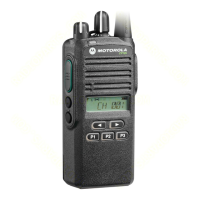
Motorola CP200XLS - User Manual

Motorola CP200XLS
144 pages
Print Icon
To Next Page IconTo Next Page
Loading...
Commercial Series
Two-Way Radio User Guide
Manuel de l’utilisateur
de la radio bidirectionnelle
CP200XLS
TM

Table of Contents

Other manuals for Motorola CP200XLS

Questions and Answers

  • K
    Karen FosterAug 18, 2025
    What to do if Motorola Two-Way Radio is dead and display doesn't turn on?
    • A
      Anna BrownAug 18, 2025
      If your Motorola Two-Way Radio is dead and the display does not turn on, the cause might be a dead battery. Replace it with a charged battery.
  • D
    donaldweberAug 20, 2025
    Why does my Motorola CP200XLS have no receive audio or receiver does not unmute?
    • M
      Michael CruzAug 20, 2025
      If your Motorola Two-Way Radio has no receive audio or the receiver does not unmute, the issue may be related to programming. Ensure the transmitted signal matches the receiver configuration (PL, DPL, etc.). Also, check if the radio can be unmuted with the monitor function enabled.
  • M
    Michael RuizAug 23, 2025
    How to fix distorted or not loud enough audio on Motorola CP200XLS Two-Way Radio?
    • T
      Tiffany AllisonAug 23, 2025
      If the audio on your Motorola Two-Way Radio is distorted or not loud enough, it could be due to the synthesizer not being on frequency. Check the synthesizer frequency by measuring the transmitter frequency and realign if it is off by more than ±150 Hz (VHF) or ±500 Hz (UHF).
  • S
    Samuel FlowersAug 26, 2025
    Why is the RF sensitivity poor on my Motorola Two-Way Radio?
    • W
      William MooreAug 26, 2025
      Poor RF sensitivity on your Motorola Two-Way Radio may be caused by several factors: * The synthesizer may not be on frequency. Check the synthesizer frequency by measuring the transmitter frequency; realign it if it is off by more than ±150 Hz (VHF) or ±500 Hz (UHF). * Another possible cause is receiver front end tuning. Check RF front-end tuning for optimum sensitivity using the tuner.
  • M
    Miss Samantha Ortiz MDAug 28, 2025
    What to do if Motorola Two-Way Radio has no RF power out?
    • S
      Susan DunlapAug 28, 2025
      If your Motorola Two-Way Radio has no RF power output, check the Tx power level and frequency programming using the tuner.
  • Q
    qcurtisAug 30, 2025
    How to resolve no modulation or distortion modulation on Motorola CP200XLS Two-Way Radio?
    • V
      Victor SampsonAug 30, 2025
      If you are experiencing no modulation or distortion modulation on your Motorola Two-Way Radio, check the deviation and compensation settings using the tuner.
  • D
    Danny WoodSep 2, 2025
    How to fix bad microphone sensitivity on Motorola Two-Way Radio?
    • G
      Gloria JenningsSep 2, 2025
      If you are experiencing bad microphone sensitivity on your Motorola Two-Way Radio, check deviation and compensation and realign if necessary.
  • M
    Miss Emily Davis DVMSep 4, 2025
    What causes no or low signaling (PL, DPL, MDC) on Motorola Two-Way Radio?
    • A
      Amber BennettSep 4, 2025
      If you are experiencing no or low signaling (PL, DPL, MDC) on your Motorola Two-Way Radio, check the programming.
  • S
    stephensonadamSep 6, 2025
    What does EPRM ERR mean on Motorola CP200XLS and how to fix it?
    • J
      John CrossSep 6, 2025
      An EPRM ERR on your Motorola Two-Way Radio indicates a codeplug structure mismatch, non-existence of codeplug, or an EEGROM Checksum Error where the codeplug checksum is wrong. Reprogram the codeplug with the correct codeplug and retest. If the message reoccurs, replace the main board or send the radio to a depot.
  • C
    Connie VasquezSep 9, 2025
    What does SYN UNLK mean on Motorola CP200XLS and how to resolve it?
    • S
      swalshSep 9, 2025
      A SYN UNLK error on your Motorola Two-Way Radio means that the synthesizer is unlocked. Verify the codeplug and reprogram if necessary. If the message reoccurs, replace the main board or send the radio to a depot.

Summary

Computer Software Copyrights

Safety and RF Exposure Compliance

Product Safety and RF Exposure Compliance

Ensures safe usage and compliance with FCC RF energy exposure requirements.

Introduction to Radio Systems

Conventional Radio Systems

Explains radio-to-radio communication via a single channel, potentially using a repeater.

Trunked Radio Systems

Describes systems allowing many users to share frequencies/repeaters efficiently.

LTR Trunked Systems

Details the Logic Trunked Radio (LTR) protocol for single-site trunking applications.

CP200 XLS Radio Features Overview

Lists key features including channels, talkgroups, display, and signaling types.

Radio Overview and Accessories

Full Keypad Radio Overview

Provides a visual guide to the components of the full keypad radio model.

Limited Keypad Radio Overview

Provides a visual guide to the components of the limited keypad radio model.

Accessory Attachment and Removal

Instructions for attaching and removing the battery, antenna, and belt clip.

Battery Management and Indicators

Charging Your Battery

Guidance on charging different battery types and best practices for optimal performance.

Charger Types and Operation

Details on using Wall Chargers and Desktop Chargers (Rapid/Slow).

Battery Charge Status Display

Explains how to check battery level via display icons.

LED Indicator Meanings

Describes the status indications provided by the radio's LED.

Display Information

Display Symbols and Indicators

Explains the meaning of symbols shown on the radio's display for status.

DTMF Keypad Operation

DTMF Keypad Overview

Details the layout and purpose of the DTMF keypad.

Entering Characters with DTMF Keypad

Guide on how to input characters using the DTMF keypad.

Indicator Tones and Button Feedback

Indicator Tone Descriptions

Explains different tones used for self-test, positive, negative, and key events.

Programmable Button Tone Modes

Details how programmable buttons use tones to indicate modes.

Programmable Buttons Configuration

Overview of Programmable Buttons

Explains the radio's four programmable buttons and their functions.

Button Press Actions

Defines short press, long press, and hold down actions for buttons.

Programmable Button Features

Battery Indicator Function

Allows checking battery charge status via a programmable button.

Menu Mode Access

Enables access to radio menus using programmable buttons.

Volume Adjustment via Button

Allows adjusting radio volume using a programmable button.

Monitor Function Activation

Enables or disables monitoring of selected channels via a button.

Repeater;Talkaround Mode Toggle

Switches between repeater and direct radio communication using a button.

Revert Memory Channel Access

Provides instant access to favorite channels/talkgroups via buttons.

Additional Programmable Functions

Store Memory Channel Functionality

Stores current channel/talkgroup for Revert Memory Channel feature.

Home Revert AutoKey Operation

Automatically keys-up and transmits MDC PTT ID for LTR talkgroups.

Voice Operated Transmission (VOX)

Enables hands-free operation by transmitting via voice through an accessory.

Keypad Lock and Unlock

Locks or unlocks the radio's keypad to prevent accidental presses.

Radio Call Function

Allows direct access to the radio call menu.

Scan;Nuisance Channel Management

Starts, stops, or deletes nuisance channels during scan operations.

Scan List Editing

Allows adding, deleting, or prioritizing channels/talkgroups in scan lists.

Phone Feature Usage

Accessing Repeaters for Phone Calls

Methods for entering access/deaccess codes to connect to a repeater.

Receiving Phone Calls

Procedure for answering incoming phone calls and entering phone mode.

Phone Call Management

Disconnecting Phone Calls

Steps to disconnect an ongoing phone call and exit phone mode.

Making Phone Calls

Instructions for initiating phone calls, including dialing and using phone lists.

Phone List Editing

Editing the Phone List (Full Keypad)

How to edit the phone list, including adding entries on full keypad models.

Phone List Management

Adding Entries to Phone List

Procedure to add new phone numbers and names to the list.

Deleting Entries from Phone List

Steps to remove existing entries from the phone list.

Editing Existing Phone List Entries

How to modify existing phone numbers, names, or locations in the list.

Access;Deaccess Code Configuration

Editing Access;Deaccess Codes

Allows editing codes used to connect/disconnect from a repeater.

Tone Preferences Configuration

Adjusting Tone Settings

Accessing menu to customize alert and keypad tones.

Tones On;Off Control

Enabling or disabling all alert tones on the radio.

Specific Tone Settings

Tone Feature Descriptions

Defines functions for TONE, KPD TONE, TONE TAG, and ESCALERT.

Keypad Tones and Call Tagging

Keypad Tone Control

Enabling or disabling all keypad tones on the radio.

Call Tone Tagging (Conventional)

Assigning specific alert tones for Selective Call or Call Alert.

Escalert Functionality

Escalert Volume Adjustment

Increases alarm tone volume for unanswered radio calls.

User Settings and Utilities

Accessing User-Adjustable Settings

Navigating the menu to customize radio features.

Utilities Feature Menu

Accessing utility features for customization.

Utilities Feature Details

Squelch Level Setting

Changes squelch to tight or normal to filter noise.

Power Level Setting

Changes transmit power to high or low.

Option Board Enable;Disable

Enables or disables an optional board.

Light Settings

Enables or disables keypad and display backlights.

Software Version Display

Displays the radio's current software version number.

Squelch and Power Level Adjustment

Setting Squelch Level

Filtering out unwanted calls and background noise.

Setting Power Level (High;Low)

Adjusting transmit power for range or battery conservation.

Display and Software Settings

Setting Backlight (Lights)

Enabling or disabling the radio's keypad and display backlight.

Displaying Software Version

Viewing the current software version of the radio.

Limited Warranty Information

Warranty Coverage and Duration

Details warranty periods for portable units and accessories.

Warranty Provisions and Service

General Warranty Provisions

Outlines exclusive remedies, limitations, and disclaimers.

State Law Rights

Explains specific legal rights that may vary by state.

How to Obtain Warranty Service

Instructions for getting warranty service, including proof of purchase.

Warranty Exclusions and Legal Provisions

Items Not Covered by Warranty

Lists conditions and damages excluded from warranty coverage.

Patent and Software Provisions

Details Motorola's defense against patent infringement claims.

Warranty Legal Framework

Governing Law for Warranty

Specifies that warranty is governed by the laws of the State of Illinois, USA.

Available Accessories

Accessory Listings

Catalog of various accessories including straps, packs, and paks.

Antennas

List of available VHF and UHF antennas for the radio.

Batteries

Details on NiCd, Li-Ion, and NiMH battery types.

Carry Accessories

Options for carrying the radio, such as belt clips.

Headsets and Surveillance Gear

Headset Options

Various headsets including ultra-lite, medium weight, and heavy duty models.

Surveillance Accessories

Earpieces and kits for discreet communication and monitoring.

Microphones and Miscellaneous Accessories

Ear Microphone Systems

Ear microphones with PTT interfaces, VOX, and noise reduction.

Remote Speaker Microphones

Options for remote speaker microphones and replacement cords.

Miscellaneous Accessories

Accessory retainer kits for securing equipment.

Menu Navigation Guide

Menu Navigation Chart

Visual representation of menu hierarchy and features.

Menu Navigation Controls

Explains button actions for entering, selecting, and scrolling menus.

Motorola CP200XLS Specifications

General IconGeneral
Number of Channels16
IP RatingIP54
Operating Temperature-30°C to +60°C
Audio Output500 mW
Frequency Range136-174 MHz
Power Output1-5 W
WeightApprox. 350g (with battery)
Power Supply7.5V (battery)

Related product manuals