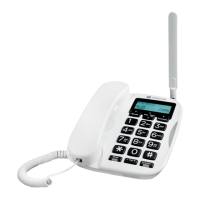
11Getting to know your phone
H OK
Press this key to select the lower left corner function on the screen.
I Phonebook / Clear / Back
Enter the phonebook menu.
Delete characters on screen when entering names and numbers.
Go back to the previous menu,
Back
is displayed on the screen.
J Scroll right / Write a text message
Press to move the cursor to the left.
Press to go straight to the new message box.
K Charging light
L Power on/o / Exit
Press and hold for 3 seconds to switch the phone o or on.
When in the menu press to return to standby.
M Hands-free
Press to make, answer or end a hands-free call.
Press to switch hands-free on during a call.
N Redial list / Send call
Press to enter the redial list.
Once a telephone number is pre-dialled press to dial.
O # / Silent mode
Dial a #.
Press and hold to enter silent mode.



 To Next Page
 Loading...