12
Network Camera User Manual
SD Card Management
Click the “Format” button to format the SD card. All data will be cleared by clicking this
button.
Click the “Eject” button to stop writing data to SD card. Then the SD card can be ejected
safely.
Snapshot Quota: Set the capacity proportion of captured pictures on the SD card.
Video Quota: Set the capacity proportion of record files on the SD card.
Schedule Recording Settings
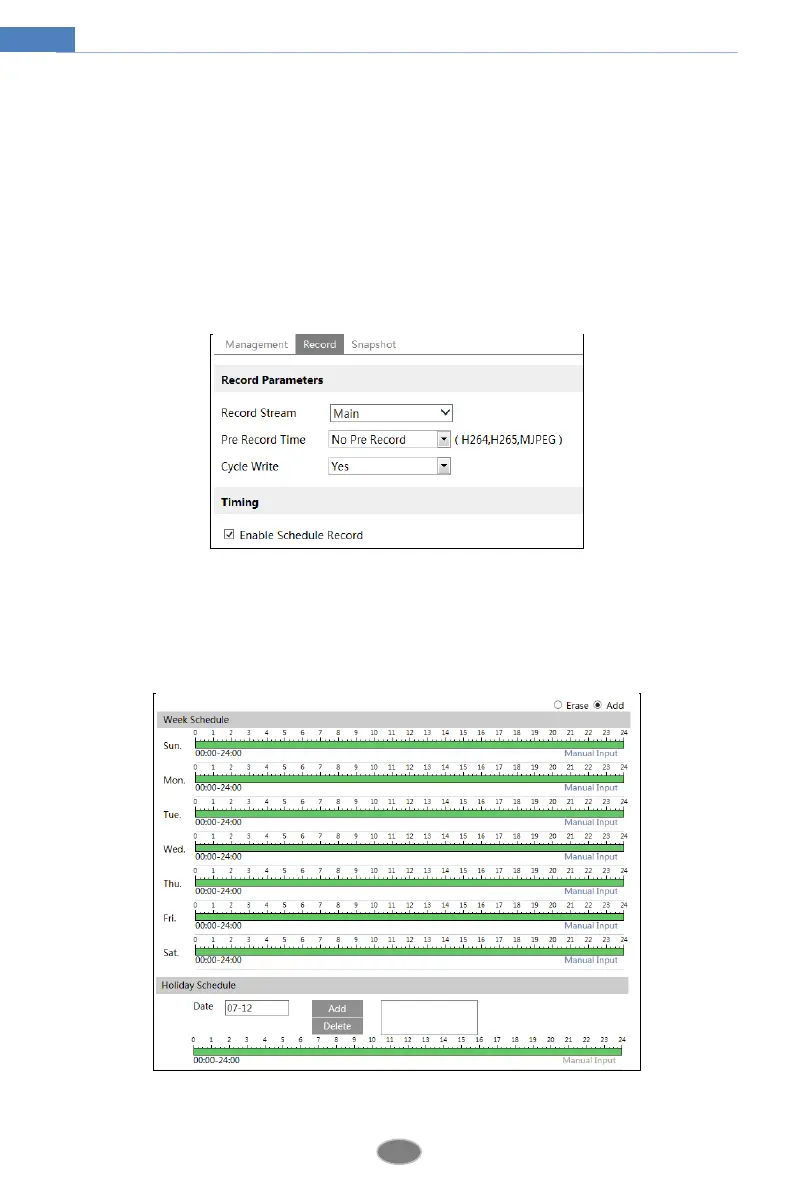
1. Go to ConfigSystemStorageRecord to go to the interface as shown below.
2. Set record stream, pre-record time, cycle writing.
Pre Record Time: Set the time to record before the actual recording begins.
3. Set schedule recording. Check “Enable Schedule Record” and set the schedule.
Weekly schedule












 To Next Page