25
Network Camera User Manual
4.4.4 Alarm Out
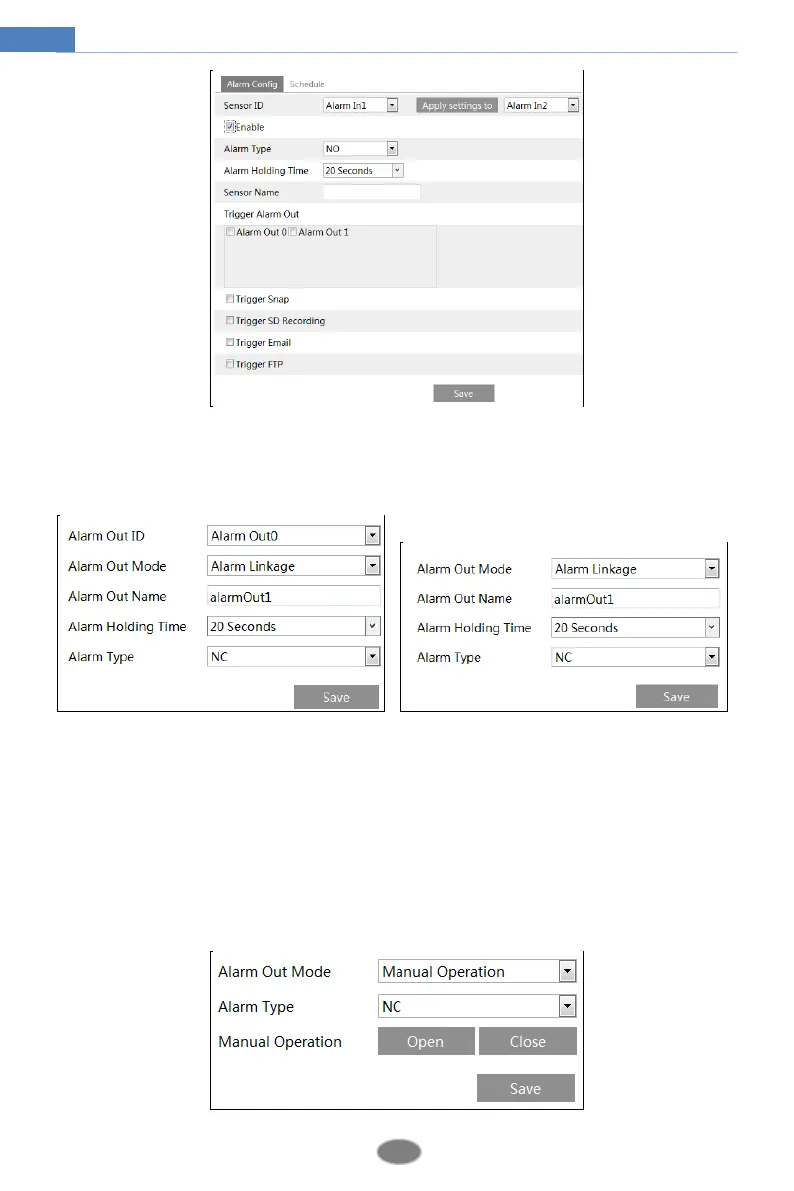
This function is only available for some models. Go to ConfigAlarmAlarm Out.
Alarm Out ID: For the model with two alarm output interfaces, please select the alarm out
ID first as shown in the above left picture.
Alarm Out Mode: Alarm linkage, manual operation, day/night switch linkage and timing are
optional.
Alarm Linkage: Having selected this mode, select alarm out name, alarm holding time at the
“Alarm Holding Time” pull down list box and alarm type.
Manual Operation: Having selected this mode, select the alarm type and click “Open” to
trigger the alarm out immediately; click “Close” to stop alarm.












 To Next Page