2
Network Camera User Manual
2 Network Connection
Connect camera via LAN or WAN. Here only take IE browser for example. The details are as
follows:
2.1 LAN
In LAN, there are two ways to access IP-Cam: 1. access through IP-Tool; 2. directly access
through IE browser.
2.1.1 Access through IP-Tool
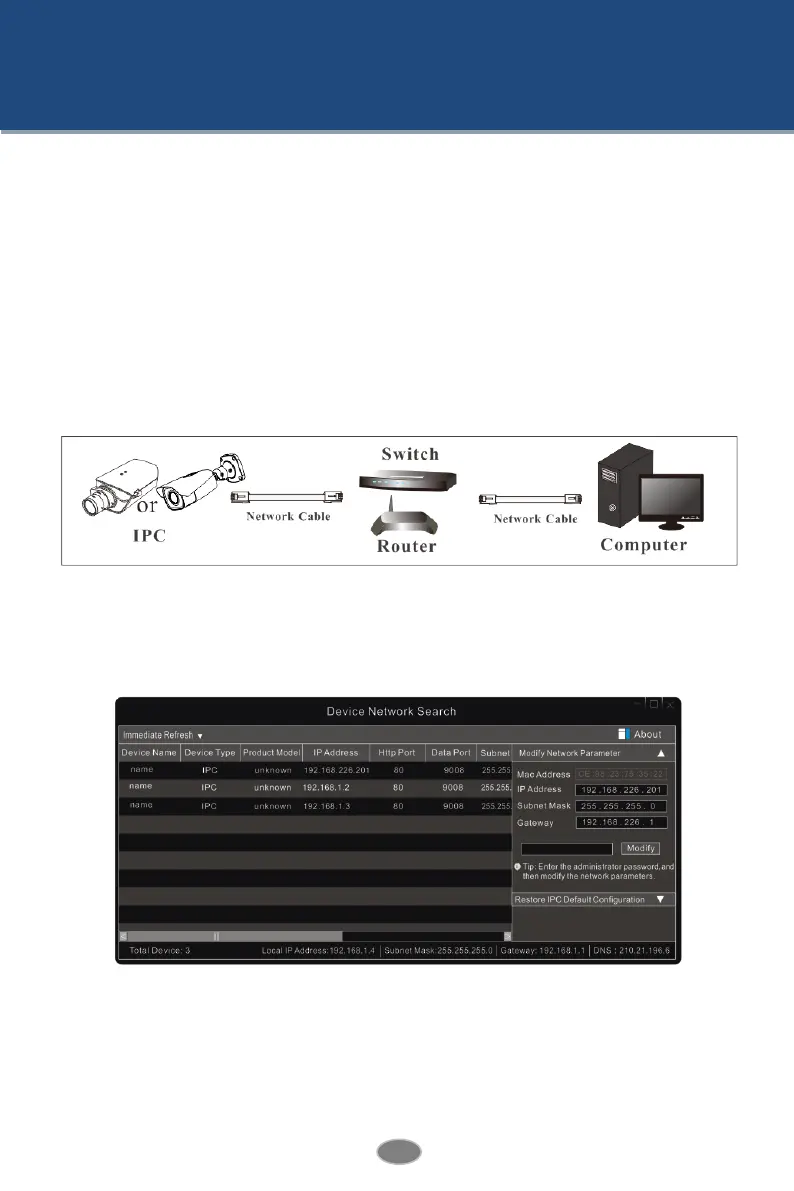
Network connection:
① Make sure the PC and camera are connected to the LAN and the IP-Tool is installed in the
PC from the CD.
② Double click the IP-Tool icon on the desktop to run this software as shown below:
③ Modify the IP address. The default IP address of this camera is 192.168.226.201. Click the
information of the camera listed in the above table to show the network information on the
right hand. Modify the IP address and gateway of the camera and make sure its network
address is in the same local network segment as the computer’s. Please modify the IP address
of your device according to the practical situation.












 To Next Page