37
Network Camera User Manual
4. Click the “Save” button to save the settings.
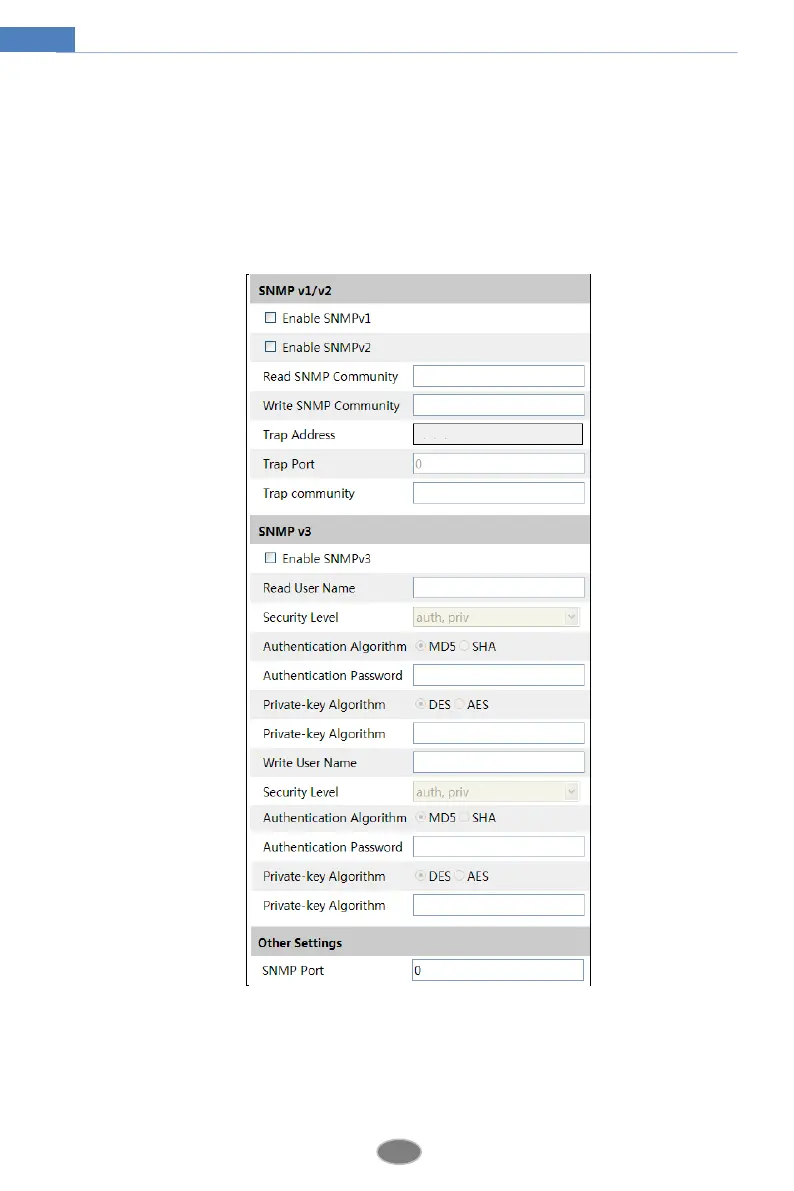
4.6.5 SNMP
To get camera status, parameters and alarm information and remotely manage the camera, the
SNMP function can be used. Before using SNMP, please install an SNMP management tool
and set the parameters of the SNMP, such as SNMP port, trap address.
1. Go to ConfigNetworkSNMP.
2. Check the corresponding version checkbox (Enable SNMPv1, Enable SNMPv2, Enable
SNMPv3) according to the version of the SNMP software that will be used.
3. Set the values for “Read SNMP Community”, “Write SNMP Community”, “Trap Address”,
“Trap Port” and so on. Please make sure the settings are the same as that of the SNMP
software.












 To Next Page