40
Network Camera User Manual
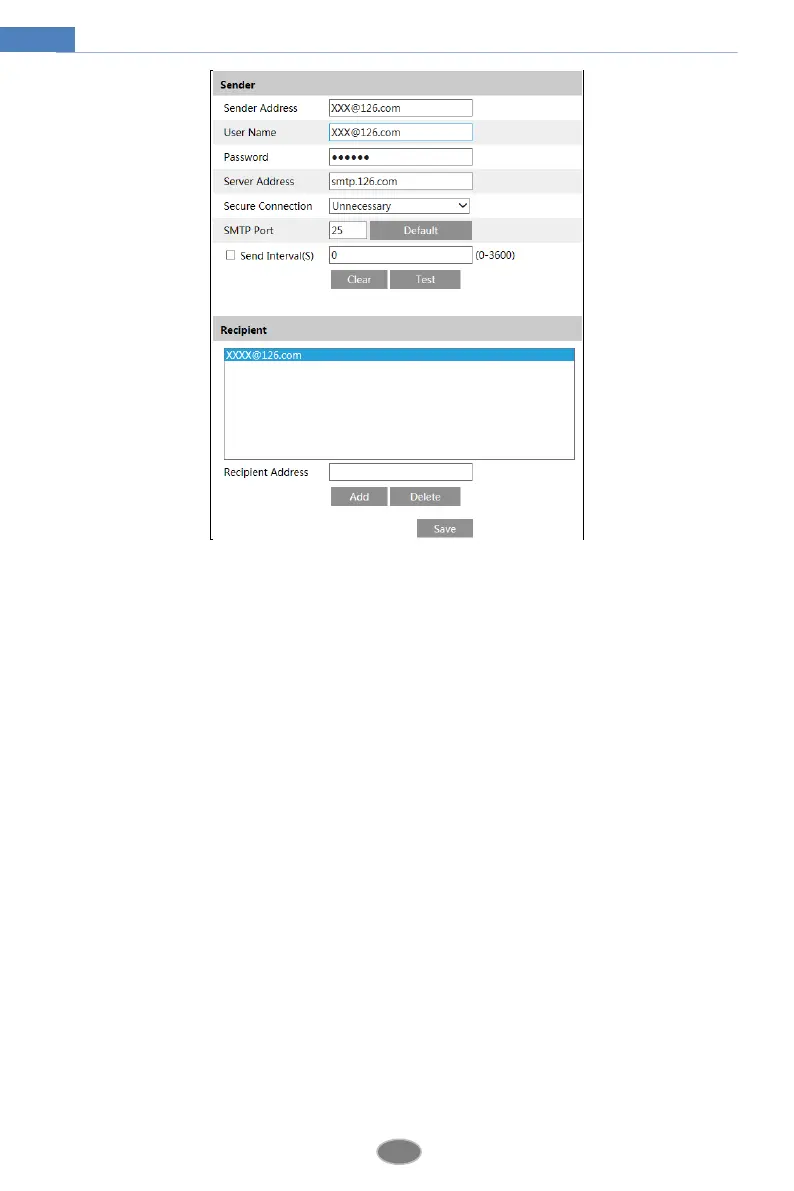
Sender Address: sender’s e-mail address.
User name and password: sender’s user name and password.
Server Address: The SMTP IP address or host name.
Select the secure connection type at the “Secure Connection” pull-down list according to
what’s required.
SMTP Port: The SMTP port.
Send Interval(S): The time interval of sending email. For example, if it is set to 60 seconds
and multiple motion detection alarms are triggered within 60 seconds, they will be considered
as only one alarm event and only one email will be sent. If one motion alarm event is
triggered and then another motion detection alarm event is triggered after 60 seconds, two
emails will be sent. When different alarms are triggered at the same time, multiple emails will
be sent separately.
Click the “Test” button to test the connection of the account.
Recipient Address: receiver’s e-mail address.
4.6.10 FTP
After an FTP server is set up, captured pictures from events will be uploaded to the FTP
server.
Go to ConfigNetwork FTP.












 To Next Page