50
Network Camera User Manual
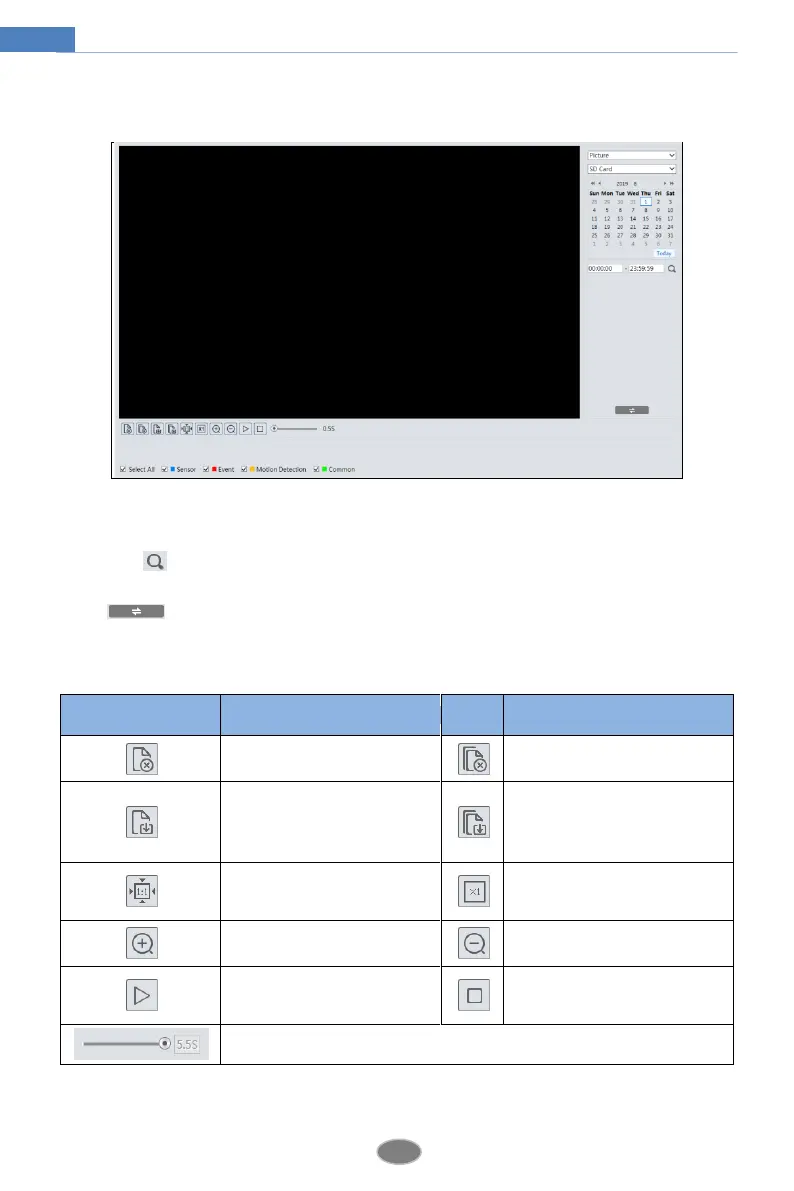
SD Card Image Search
1. Choose “Picture”—“SD Card”.
2. Set time: Select date and choose the start and end time.
3. Choose the alarm events at the bottom of the interface.
4. Click to search the images.
5. Double click a file name in the list to view the captured photos.
Click to return to the previous interface.
The descriptions of the buttons are shown as follows.
Close: Select an image and click
this button to close the image.
Close all: Click this button to
close all images.
Save: Click this button to select
the path for saving the image on
the PC.
Save all: Click this button to
select the path for saving all
pictures on the PC.
Fit size: Click to fit the image on
the screen.
Actual size: Click this button to
display the actual size of the
image.
Zoom in: Click this button to
digitally zoom in.
Zoom out: Click this button to
digitally zoom out.
Slide show play: Click this
button to start the slide show
mode.
Stop: Click this button to stop the
slide show.
Play speed: Play speed of the slide show.












 To Next Page