INSTALLING THE 4PRE HARDWARE
24
■ PCI FireWire cards — If you plan to connect the
4pre to a PCI card and run the 4pre under bus
power, the PCI card must have a direct connection
to the power supply harness inside your computer.
This is the same power supply harness to which you
connect internal hard drives, CD/DVD drives, etc.
■ PCMCIA or ExpressCard slot adapters — If you
plan to connect the 4pre to a PC card FireWire
adapter (inserted in the PC card slot in your
laptop), it must provide a 6-pin or 9-pin
connection and it must also have its own power
supply. Most commonly, these types of products
have a DC power adapter. As you can see, however,
this situation does not allow for remote battery
operation, as the PC card adapter requires AC.
Examples of bus-powered operation
Here are a few typical examples of bus-powered
4pre operation:
Bus power from a desktop computer
Your desktop computer is running off of its usual
AC power connection, and the 4pre draws power
from the FireWire cable connected to the
computer. There are no limits to running time.
Bus power from an AC-powered laptop
This scenario is identical to the desktop situation
described above: the laptop is powered by AC, the
4pre is powered via the FireWire bus and there are
no limits to running time.
Bus power from a battery-powered laptop
The laptop is being powered by its own battery, and
the 4pre is being powered by its FireWire
connection to the computer. So the laptop battery
is supplying power to both the laptop and the 4pre.
This is the most compact and portable operating
scenario. Running time is determined by the
capacity of the laptop battery. For extended
recording sessions, bring extra, fully charged
laptop batteries.
DC power supply
If you do not want the 4pre to draw power from the
computer, and AC power is available, you can
power the 4pre from any standard 9-18 volt, 5 watt
DC power supply with any polarity (tip positive or
negative), and amperage as shown below.
Turning off the 4pre
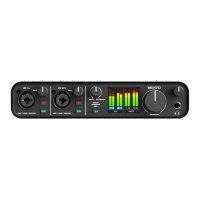
To turn on the 4pre, push the PHONES volume
knob. To turn it off, push and hold the PHONES
volume knob. When the 4pre is turned off, it is
really in a sort of “sleep” mode, where it still draws
just enough power to detect the power switch (a
digital encoder) when the 4pre is turned back on.
But the amount of power that the 4pre draws when
it is turned off is so small that it has very little
practical impact. If you are running a laptop under
battery power, and you are in a situation where you
are not using the 4pre and you need every last bit of
laptop battery power, unplug the 4pre entirely from
the computer.
Voltage Amperage
9 volts 1.33 amps
12 volts 1 amp
18 volts 0.66 amps


 To Next Page