9
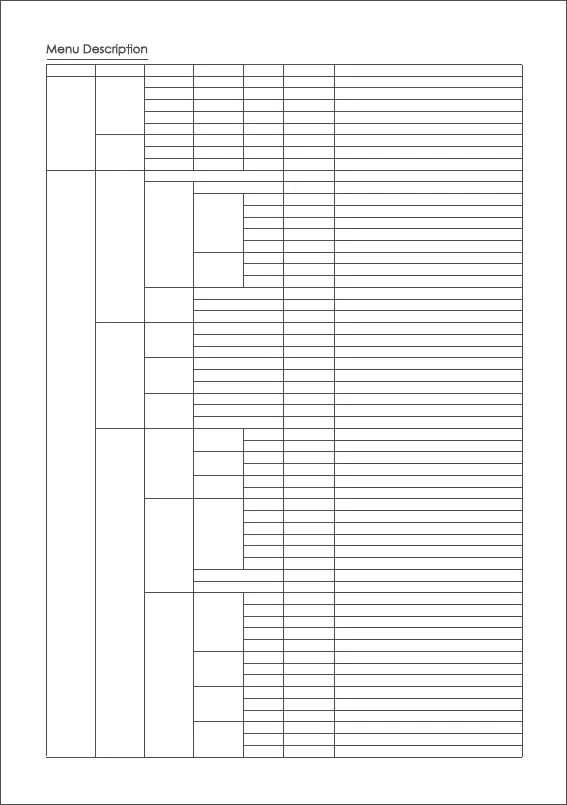
Menu Description
L1 L2 L3 L4 L5 Value Function
Shutter Cable
*
set the connection type to universal shutter cable
MCSC-Multi
*
set the connection type to Sony-Multi port
MCSC-Multi/C
*
set the connection type to Sony-Multi port and power supply
MCSC-Remote
*
set the connection type to Panasonic-Remote port
M3C-USB * set the connection type to USB port
ISO 32--106400 Set the camera ISO
TV 30--1/8000 Set the camera shutter
AV F1--F22 Set the camera aperture
?/ok turn on/off motor
?/ok tuning/tuned
ultra light * set motor lev
el to the minimum
light * set motor level to light
medium * set motor level to medium
heavy * set motor level to heavy
ultra heavy
set motor level to ultra heavy
tilt 0-100 set tilt motor power
set roll motor power
set pan motor power
roll 0-100
pan 0-100
0-100 set tilt motor filter
0-100 set roll motor filter
0-100 set pan motor filter
on/off enter/exit tilt follow mode
on/off enter/exit roll follow mode
on/off enter/exit pan follow mode
0-100 set the following speed of tilt motor
0-100 set the following speed of roll motor
0-100 set the following speed of pan motor
0-100
set the following initiation angle of tilt motor
0-100
set the following initiation angle of roll motor
0-100
set the following initiation angle of pan motor
left-right tilt/rol/pan
move the joystick left/right to control the tilt/roll/pan rotation
up-down tilt/rol/pan
move the joystick up/down to control the tilt/roll/pan rotation
left-right 0-100 set sensitivity level of left-right movement
up-down 0-100 set sensitivity level of up-down movement
left-right +/-
set the control habit of joystick left/right movement
up-down +/-
set the control habit of joystick up/down movement
focus-1 * control the external focus motor 1
focus-2 * control the external focus motor 2
focus-e * control the electronic focus
tilt * control the pan
axis
roll * control the tilt axis
pan * control the roll axis
0-100 wheel sensitivity
+/- set the control direction of wheel rotation
none * none
follow * enter pan-tilt follow mode
lock * enter all lock mode
quick * enter sport gear mode
FPV * enter FPV mode
none * none
shutter * take photo
focus * auto focus
non
e * none
double-click
re-center * re-center
selfie * rotate the gimbal 180° for selfie
none * none
re-center * re-center
selfie
*
rotate the gimbal 180° for selfie
switch
speed
deadband
joystick
wheel
camera
motor
follow
habits
trigger
hold
click
triple-click
pan
tilt
roll
pan
sensitivity
function
sensitivity
habits
function
tilt
roll
pan
tilt
roll
switch
autotune
tilt
roll
pan
power
filter
level
custom
gimbal
operation
*



 To Next Page