14
Note:
FPV, Sport Gear Mode
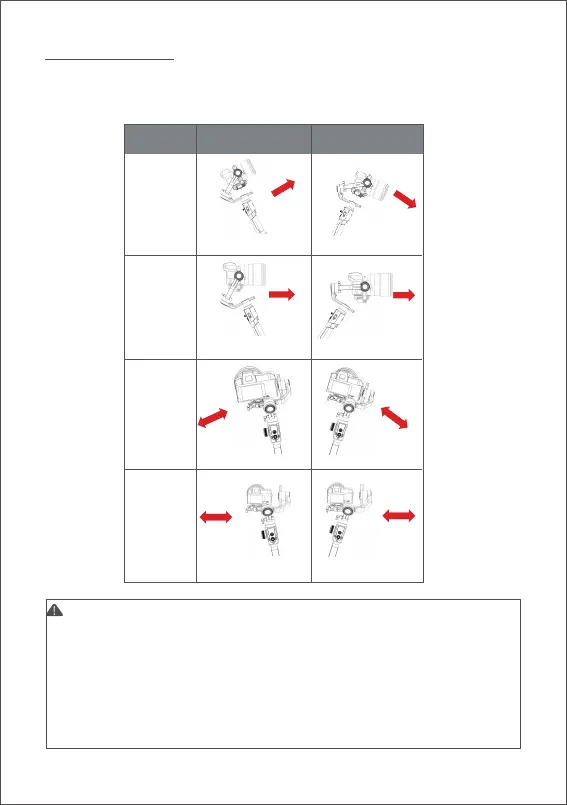
Enter the
tilt follow
Exit the
tilt follow
Enter the
roll follow
Exit the
roll follow
Follow Mode
Switch
Example 1
Example 2
1. The Air 2 is in pan follow mode by default.
2. In addition to controlling the follow mode by the switches of each axis
independently, follow modes can be also enabled by the trigger, please
refer to Page 8 ‘Button Functions’ for more details.
3. The angle of the roll follow is 45°. For a larger following angle, please triple
click the left button to enter the FPV mode to achieve 360° follow of three
axes.
4. If faster following speed is required, please click the right button to enter the
sport gear mode. (Currently only supports the pan axis)
When the follow function is enabled, the camera will follow the movement of the
gimbal.Users can enable the follow mode of each axis through dial buttons and
turn the dial to adjust the following speed, which can be also enabled in the
menu.



 To Next Page