3
Mounting the Camera
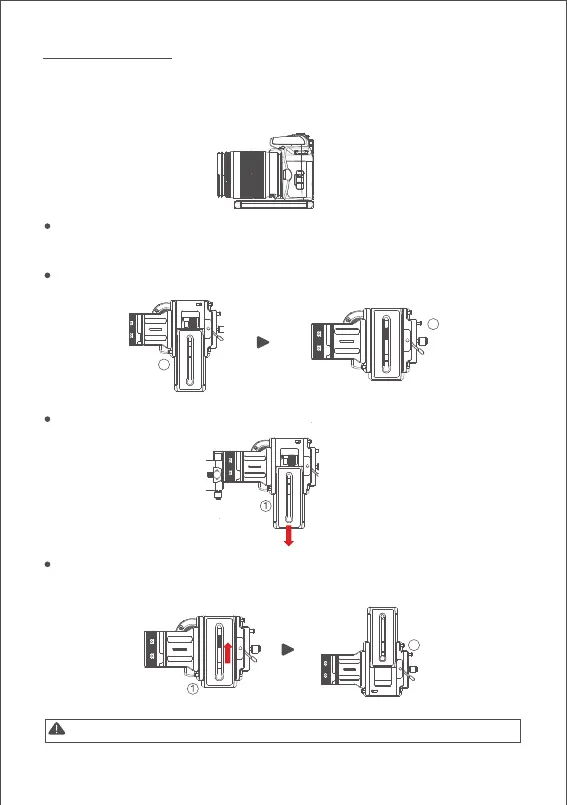
The Air 2 quick release plate is equipped with 2 screws, select an appropriate one
according to the camera type. There is no limit to the installing direction of the quick
release plate. When mounting the camera, make sure the lens slightly extends beyond
the quick release plate in order to reserve extra room for lens support and rod adaptor
After mounting the camera onto the quick release plate, loosen the lever A, then
slide the quick release plate onto the baseplate.The quick release plate can be
installed from both back and forth.
Please make sure the safety lock 1 and 2 will eject once each, and a rough back
and forth balance is reached.
Press the safety lock 1, the quick release plate will be removed in the direction
shown below.
Press the safety lock 1, slide the plate as shown below, then press the lock 2 when the
plate is moved to the end. The quick release plate will be removed in the reverse
direction.
Note: It is recommended to use the lens support for the best effect.
1
2
2
A
A



 To Next Page