2
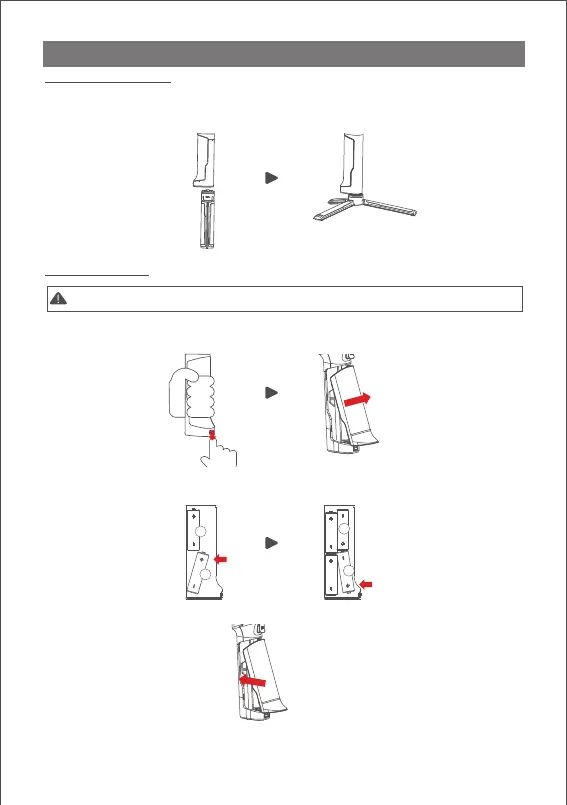
Attaching the Tripod
2 screw holes are equipped at the bottom of grip: 1/4” for mini tripod and 3/8” for
large accessories like slider and big tripod. Screw the mini tripod, then expand as
shown below.
a. Hold the battery hatch slightly, push the lock downward, slide the hatch as
shown below and then release the lock.
b. Insert the batteries one by one as shown.
c. Cover the battery hatch.
AIR 2 Installation
1
2
3
4
Installing Batteries
Note: Please pay attention to the battery poles for fear of short circuit.



 To Next Page