17
Keep Level
● Accelerometer Calibration
● Gyroscope Calibration
Sensor Calibration
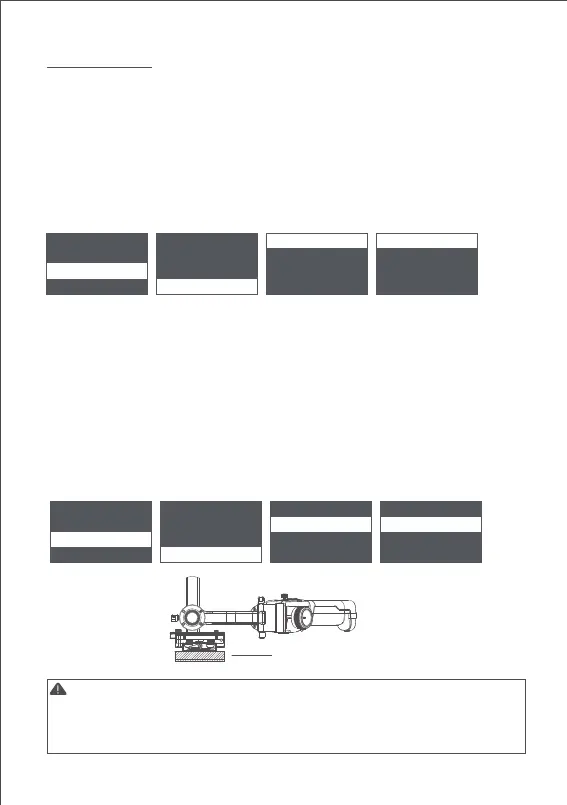
camera > iFocus > gyro gyro ok
gimbal > inception > acc acc
advanced > manual po
s > angle offset > angle offset >
general > calibration >
camera > iFocus > gyro gyro
gimbal > inception > acc acc ok
advanced > manual pos > angle offset > angle offset >
general > calibration >
Note:
Turn on the gimbal and leave it quietly for about 5 minutes, the gyroscope calibration is
required when the gimbal drifts obviously.
The steps are as follows:
a. Turn on the gimbal(long press the power button)
b. Turn off the motors(double press the power button/enter the menu, select
gimbal>motor>switch, set ‘off’)
c. Leave the Air 2 on the table and don't shake it or the desktop.
d. Enter the menu, select advanced>calibrate>Gyro cali and press the dial right button,
wait about 5 seconds, when the ‘?’ changes to ‘OK’, the calibration is completed.
Turn on the gimbal and there is no obvious drift, the accelerometer calibration is required
when the camera doesn’t keep level. The steps are as follows:
a. Turn on the gimbal(long press the power button)
b. Turn off the motors(double press the power button/enter the menu, select
gimbal>motor>switch, set ‘off’)
c.
Leave the L-shaped quick release plate on the horizontal table. Avoid the bottom screw
and keep the Air 2 at static position. Do not shake the it or tilt it. (or mount the camera to
refer to its level)
d. Enter the menu, select advanced>calibrate>Acc cali, and press the dial right button
to enter calibration. Wait about 5 seconds, when the ‘?’ changes to ‘OK’, the
calibration is completed.
1.Please keep the gimbal stationary during the calibration, any shaking will cause the
calibration to deviate.
2.Any drastic shaking might cause ’err’ shown on the screen, please calibrate again.
3.Do not arbitrarily perform calibration operations while it is not necessary.



 To Next Page