15
Button Customization
Inception Mode
Button Definition for Inception Mode:
●
Turn the joystick left or right: the gimbal turns to left or right, when
Manual Positioning
off
off
相机
高级
通用
pan
Button Customization is used to specify the function, sensitivity and operation
direction of each button according to the user's habits.
For Example:
By default, moving the joystick up and down controls the tilt axis rotation.
It can be changed to control the roll or pan axis rotation by customizing;
By default, moving the joystick left and right controls the pan axis
rotation. It can be changed to control the tilt or roll axis rotation by customizing.
camera > balance chk tilt [off] tilt [on]
gimbal > iFocus > roll [off] roll [off]
advanced > inception > pan [ on] pan [ on]
general > manual pos >
camera > motor > joystick > function > left-right [pan]
gimbal > follow > wheel > sensitivity > up-down [tilt]
advanced > operation > trigger > habits >
general > dial >
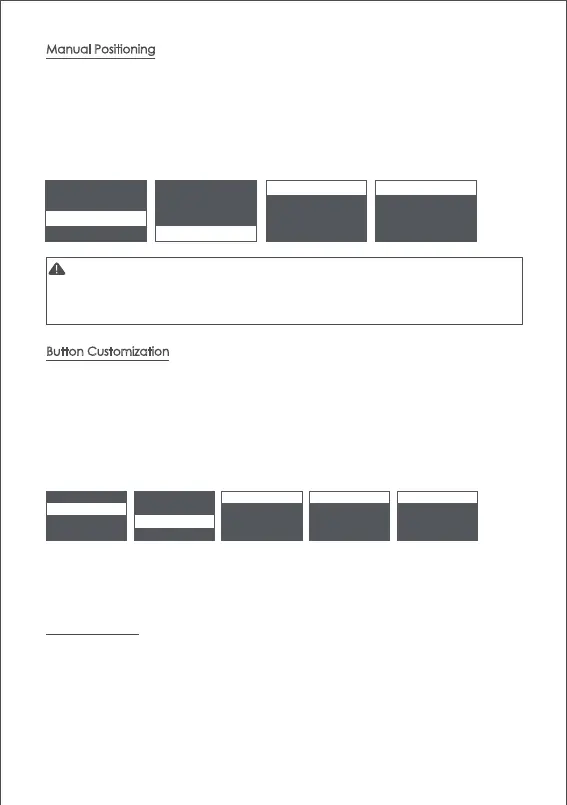
Manual positioning is used to quickly adjust the direction of the camera. When the
function of manual positioning is enabled, the camera orientation can be adjusted by
hand which will not automatically return to the initial position. The adjustment speed is
faster than using the joystick or the following mode.The manual positioning of the tilt
axis is enabled by default on the Air 2. Manual positioning of the roll and pan axes
can be enabled in the menu.
Note: The follow function has higher priority than manual positioning. When the
follow function of any axis is on, the manual positioning function cannot be
used. Only after the follow function is off, the manual positioning can be used
normally.
The higher the sensitivity of the button, the more sensitive and faster the control is.
If you change the 'custom' to -, the direction of operation will be opposite. For
more button customization, please refer to
Page9
Menu Description.
The Inception Mode is used to control the camera to rotate in the roll direction for
shooting upside down and rotating footages. In the main interface, triple click the
right button to enter the Inception Mode.After entering the Inception Mode, the
camera lens is vertically up and each axis automatically follows.



 To Next Page