PRODUCT TECHNICAL MANUAL
FONOMAC 3
V2.20 – 06/2012
17
MTELFONOMAC3220_EN
30 Advanced Alarm call acknowledge
0: Deactivated
1: Activated
1: Activated
31 Advanced
Sound identification
activation
0: Deactivated
1: Activated
1: Activated
32 Advanced Low Battery Alarm
0: Deactivated
1: Activated
1: Activated
33 Advanced Test after Reset
0: Deactivated
1: Activated
0: Deactivated
34 Advanced Silent Test and Reset
0: Deactivated
1: Activated
1: Activated
35 Advanced
Alarm pushbutton
activation time
2..9: Number of seconds 3 seconds
50 Advanced Key value of units 0..9 value 1
51 Advanced Key value of tens 0..9 value 1
52 Advanced Key value of hundreds 0..9 value 1
53 Advanced Key value of thousands 0..9 value 1
Fonomac 3 offers the user several parameterising options.
Parameterisation via the equipment keypad.
Parameterisation via the VS Console (CAN-BUS communication port).
Local Parameterisation via PC (connection using an HEA Tool Kit).
Remote parameterisation via external telephone or PC.
2.3. Parameterisation via keypad
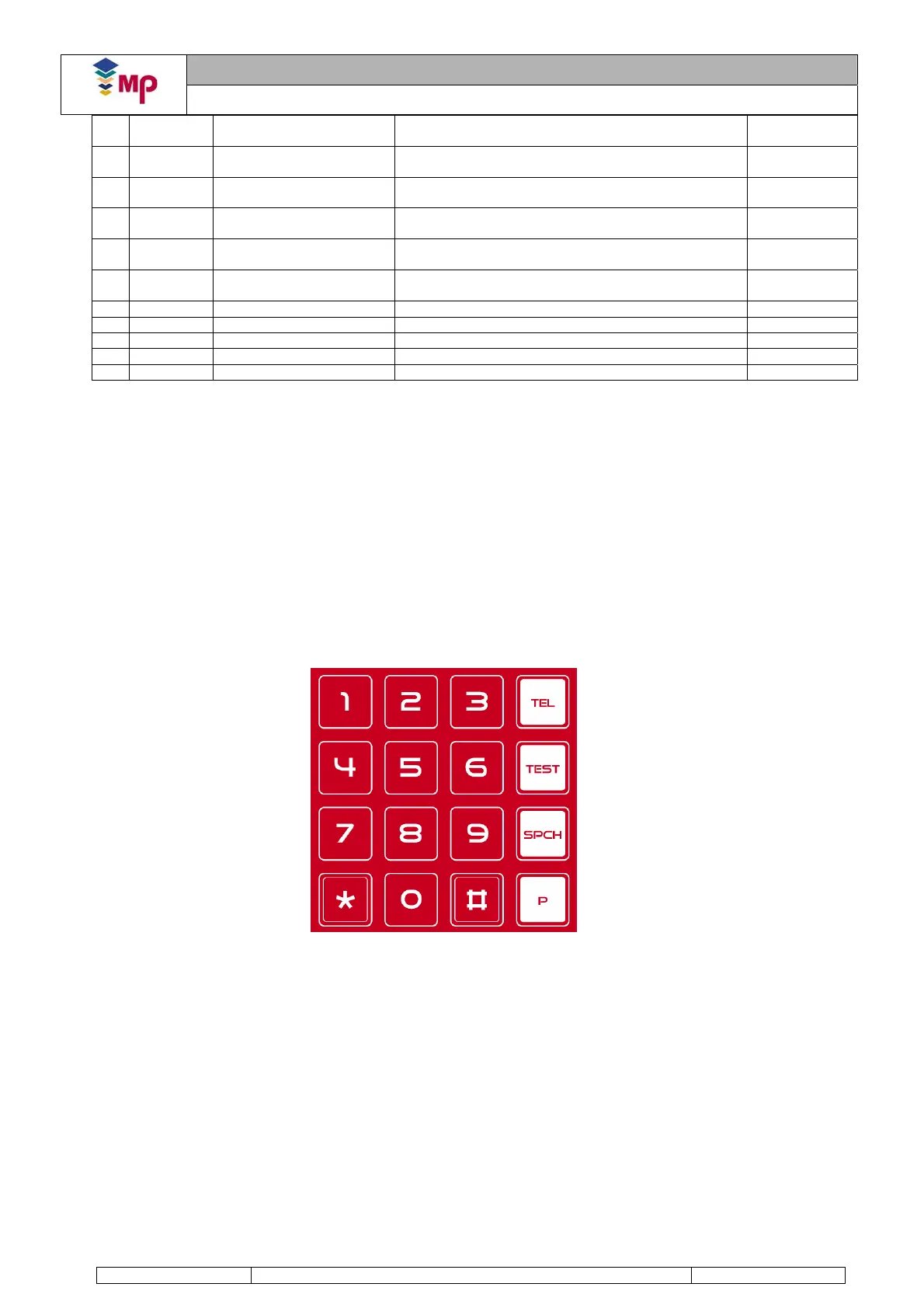
Fonomac 3 incorporates a built-in programming keypad at the rear of the equipment.
The keypad consists of 4 rows and 4 columns:
Keys 0 to 9.
Keys * and #.
Keys TEL, TEST and SPCH.
Key P.
The programming mode is accessed by pressing key P. The telephone must have an external power supply.
Fonomac 3 will indicate that it is in programming mode by flashing the green and yellow LEDs quickly and
synchronized (latency: 1 tenth of a second ON + 1 tenth of a second OFF). If the Fonomac 3 has an access code
different from “1111”, programmed by default, you have to introduce the right access code before starting the
programming, i.e, the 4 digits of the code and after the key P.
The sequence to program a parameter observes the CPMAC protocol rules also used for remote programming via
an external telephone:
Entering parameters: #ID*values*
o ID: Parameter identifier (2 digits). The ID of a parameter can be consulted on the parameter table in
this manual.
o Values: Parameter value (maximum 22 digits).
o Example: To save the value 902 03 03 10 as Alarm Telephone 1:
# 0 1 * 9 0 2 0 3 0 3 1 0 *
FIGURE 10. KEYPAD



 To Next Page