PRODUCT TECHNICAL MANUAL
FONOMAC 3
V2.20 – 06/2012
20
MTELFONOMAC3220_EN
3.2. Alarm triggered
The alarm can be triggered by three different operations:
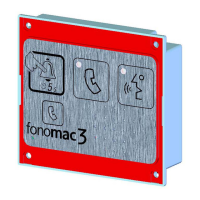
Keypad Alarm Pushbutton Pressed.
The passenger trapped must press the alarm pushbutton for 5 seconds and the equipment will trigger the alarm.
The alarm pushbutton contact should be normally closed (NC) so that the circuit opens when the pushbutton is
pressed. The ID_16 “Operating Mode” parameter value must be 0: NC with external filtering or 2: NC with built-in
filtering.
*N.B.: As an exception, when an old Fonomac equipment is to be replaced, the alarm pushbutton is normally open
(NO); in this case, the ID_16 “Operating Mode” parameter value must be 1: NO or value 3: NO Advanced.
Fonomac 3 will indicate that the alarm process has started through a yellow LED and the system will try to connect
with the alarm call centre. If connection fails, it will try again and again until it connects. There is a 2-minute wait
between each attempt. Fonomac 3 will make three attempts to reach the call center at each of the three
programmed numbers. Should connection fail after the third attempt made to the last number, the process would
start again from the first number and it would continue indefinitely until communication is made and the
corresponding call is registered.
Alarm Pushbutton on the roof or under car floor pressed.
Same process as keypad alarm pushbutton one. These pushbutton contacts will always be NC. Fonomac 3 has a
specific telephone number for calls coming from these pushbuttons (ID_05: Alarm telephone nr. reserved for
technician trapping). If the user does not want to use this telephone number, calls will be automatically redirected
to the list of alarm telephone numbers.
Batteries not working properly or flat.
The equipment has an internal emergency power supply and continuously checks the status of its batteries.
Should the equipment detect incorrect operation or extended discharge of batteries, it will call the alarm centre
sending the corresponding alarm message, thus ensuring that, from that moment on, it has an hour of life
maximum. The calling process is similar to that described in the previous items. In addition, there is a specific
telephone number for calls made for this reason.
Should you not require this function, just deactivate it by assigning the ID_32 “Trigger Low Battery Alarm”
parameter value “0” (Deactivated).
3.3. Lift Identification
It is carried out by the Alarm Call Centre or Rescue Service. It can be made either manually or automatically.
MANUAL MODE:
Building: The receiving telephone displays the building telephone number. The building is identified using
the list of telephone numbers and their corresponding building.
Lift: The equipment transmits a sequence of “beeps” corresponding to the “Lift Number” parameter value.
Therefore, for Lift 1, 1 beep will be heard, for Lift 2, 2 beeps will be heard and so on and so forth.
Fonomac 3+: The equipment will play the location message once the rescue centre has received the
acknowledgement of receipt.
AUTOMATIC MODE:
It will be run using a PC connected to the alarm receiving line. It requires the Alarm Management Software
(FonoPC) and others (only for Windows XP and Windows 7).


 To Next Page