PRODUCT TECHNICAL MANUAL
FONOMAC 3
V2.20 – 06/2012
39
MTELFONOMAC3220_EN
(1)VS (2) FNII
3
FN3
4
DSP
A3. Operating mode
MP’s Console has been updated to include the Fonomac 3 programming, apart from the equipment, it already
included. On connecting the console to the power supply, the following menu will be displayed:
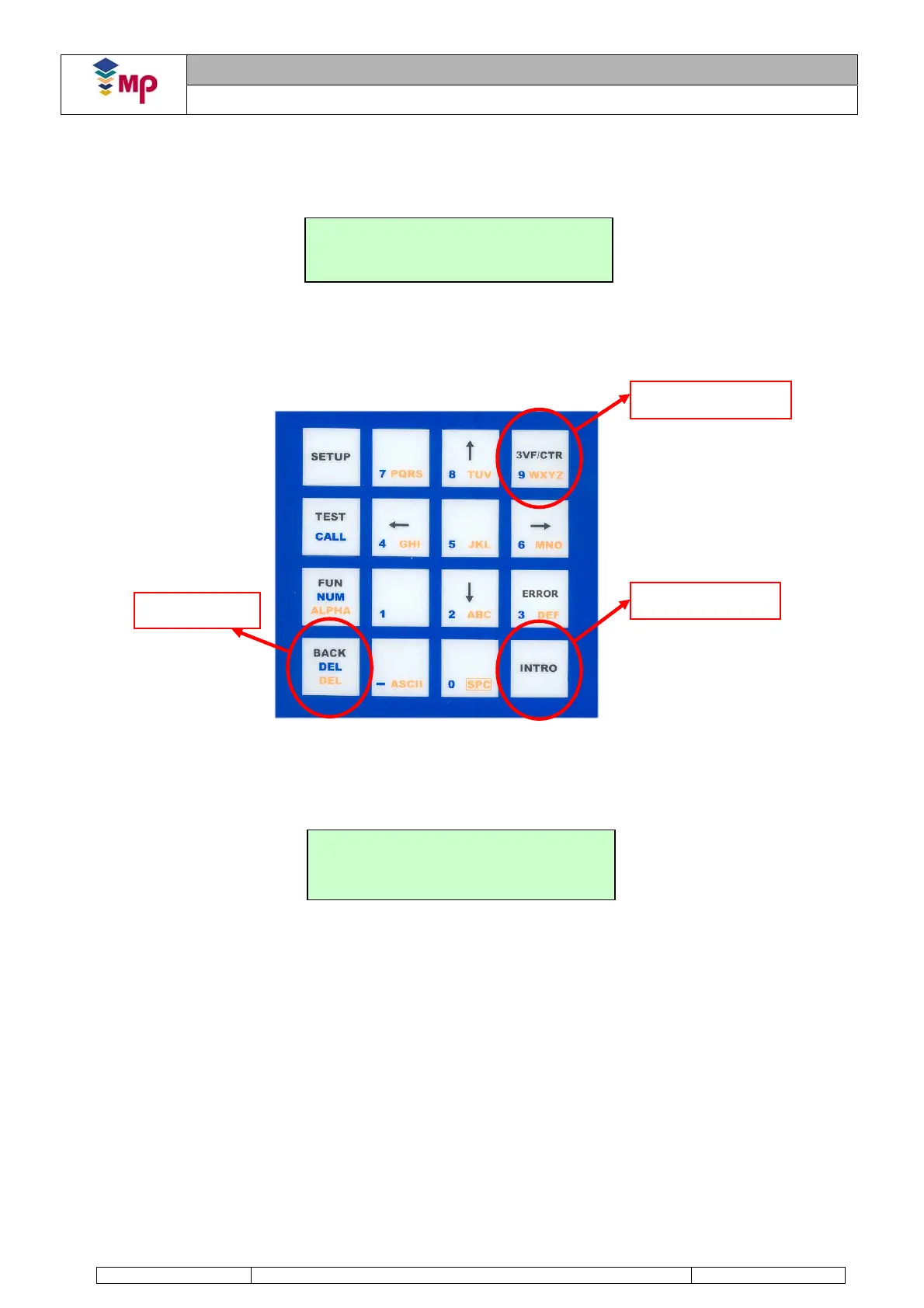
To access the Fonomac 3 menu, press key number 3 on the console’s keypad. Another means of access is using
the “Menu Access” key.
Once the Fonomac 3 product has been selected, the following screen should be displayed on the console:
If the Fonomac 3 telephone has a different access code from the default code "1111", the console will display an
initial screen, where the 4 digits of the user's code should be introduced.
The Fonomac 3’s configuration menu is divided into three large blocks or folders:
Compulsory: Parameters that must be programmed for the correct operation of the telephone.
Advanced1: Its value is pre-set by default. Modification is only necessary in special situations.
Advanced2: Its value is pre-set by default. Modification is only necessary in special situations.
These folders are made up of a series of parameters allowing configuration of the Fonomac 3 equipment. Section
2.2 Parameters includes the description of these parameters as well as their options. Figure 9 displays the entire
configuration menu of the Fonomac 3.
Menu Access
Back…
Intro
FONOMAC 3
Compulsory
Figure 8: Console Keypad


 To Next Page