PRODUCT TECHNICAL MANUAL
FONOMAC 3
V2.20 – 06/2012
36
MTELFONOMAC3220_EN
APPENDIX A: MANUAL FOR PROGRAMMING USING THE CONSOLE
A1. General Description
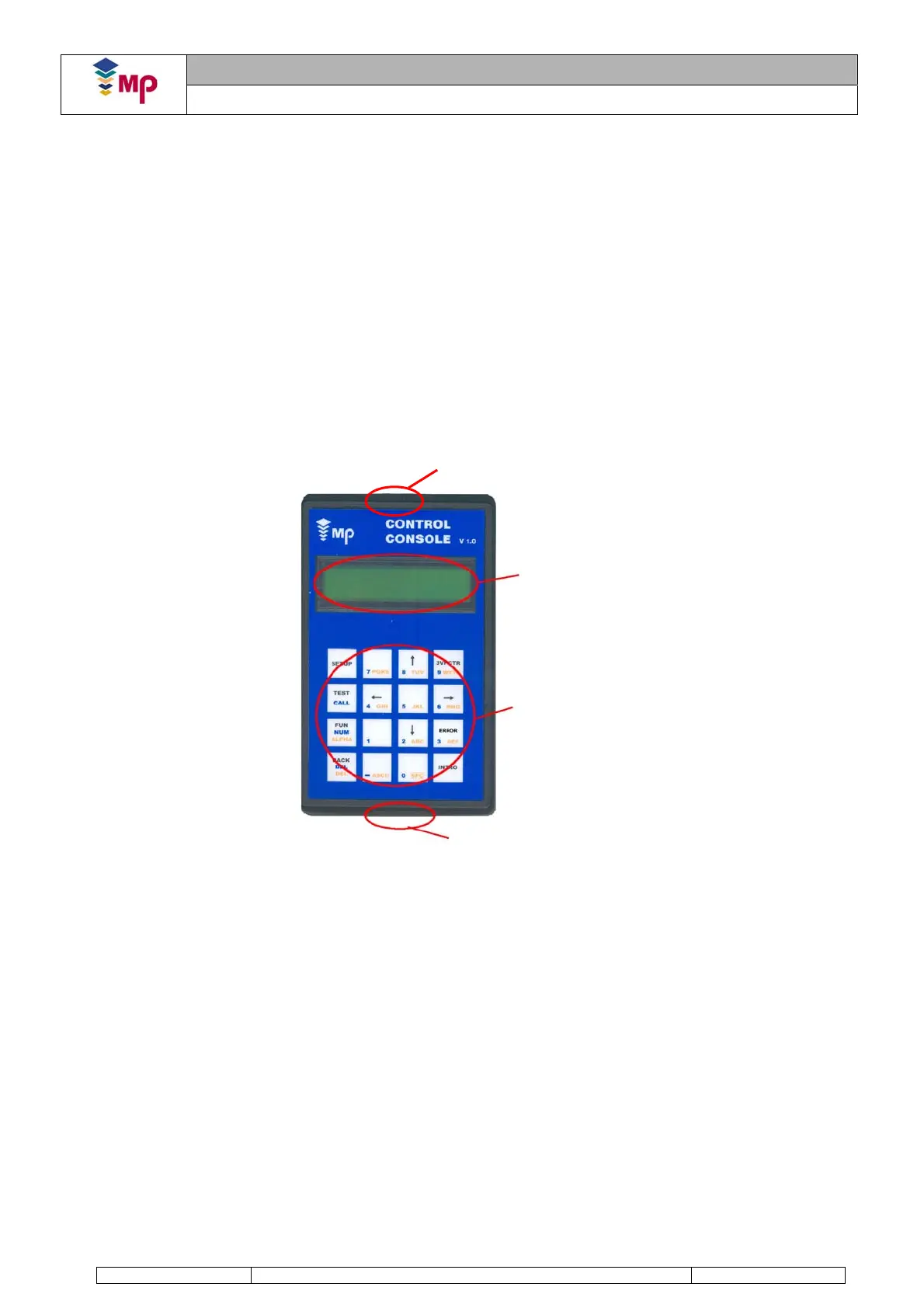
The console has been designed to be used with Via Serie controllers. Its general features are summed up below:
Connection to the Via Serie controller using CAN-BUS protocol.
Multilingual (English – Spanish). (French – Italian).
Allows reading-writing the Controller/Fonomac II/ Fonomac 3 parameters by using its own menu.
Automatic detection of a loss of communication with the Via Serie controller.
Possibility of choosing between viewing the Via Serie controller, Converter, Fonomac II or Fonomac 3 for
P71 Console version or higher. If your version is not the right one, check with MP.
Errors table displaying a description of them.
Possibility of setting a start-up configuration of the console that will be loaded on starting it. In this start-up
configuration, the language and the communication port will be set by default.
Full management of the keypad, including multi-function keys.
Allows powering from the controller or Fonomac 3 (when powered by the XFN2 connector).
Fonomac 3 will be programmed by using the console’s CAN-BUS communication connector. This differs from the
system used for Fonomac II (serial port).
The connection and the ways to configure the console when used to program Fonomac 3 in a Via Serie controller
are explained below. When Fonomac 3 is part of a MicroBasic controller, another parameterisation system must be
used.
FIGURE 1: PARAMETERISATION CONSOLE
Serial Port
Display
Keyboard
CAN Port


 To Next Page