Trigger Box Quick Start Guide
23
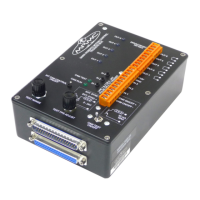
4. CAM ON/OFF +, CAM ON/OFF - connectors, used for triggering a
camera on and off. In Flair you have a choice of the type of signal
used, to fit the requirements of the camera. For details of usage see
Using the Camera On/Off trigger output on page 8.
5. Controls for testing Flair’s handling of the Sync input and External
Camera trigger output signals. For details of usage see:
Using the Sync input from a camera on page 10
Testing the Sync input and Camera On/Off trigger output on page 12.
6. Triggers connector, for connecting the Trigger Box to an RT-12 or
RT-14 unit. The RT-12 or RT-14 unit is, in turn, connected to a PC
running Flair Motion Control Software. For pin-out information see
Triggers connector on page 24.
7. Additional connector, for adding another Trigger Box or more
trigger devices to the daisy-chain. For pin-out information see
Triggers connector on page 24.


 To Next Page