ALTAIR 2X
44
Maintenance
GB
4.2 Replacing the Battery
Only replace with: battery as listed in section 7.
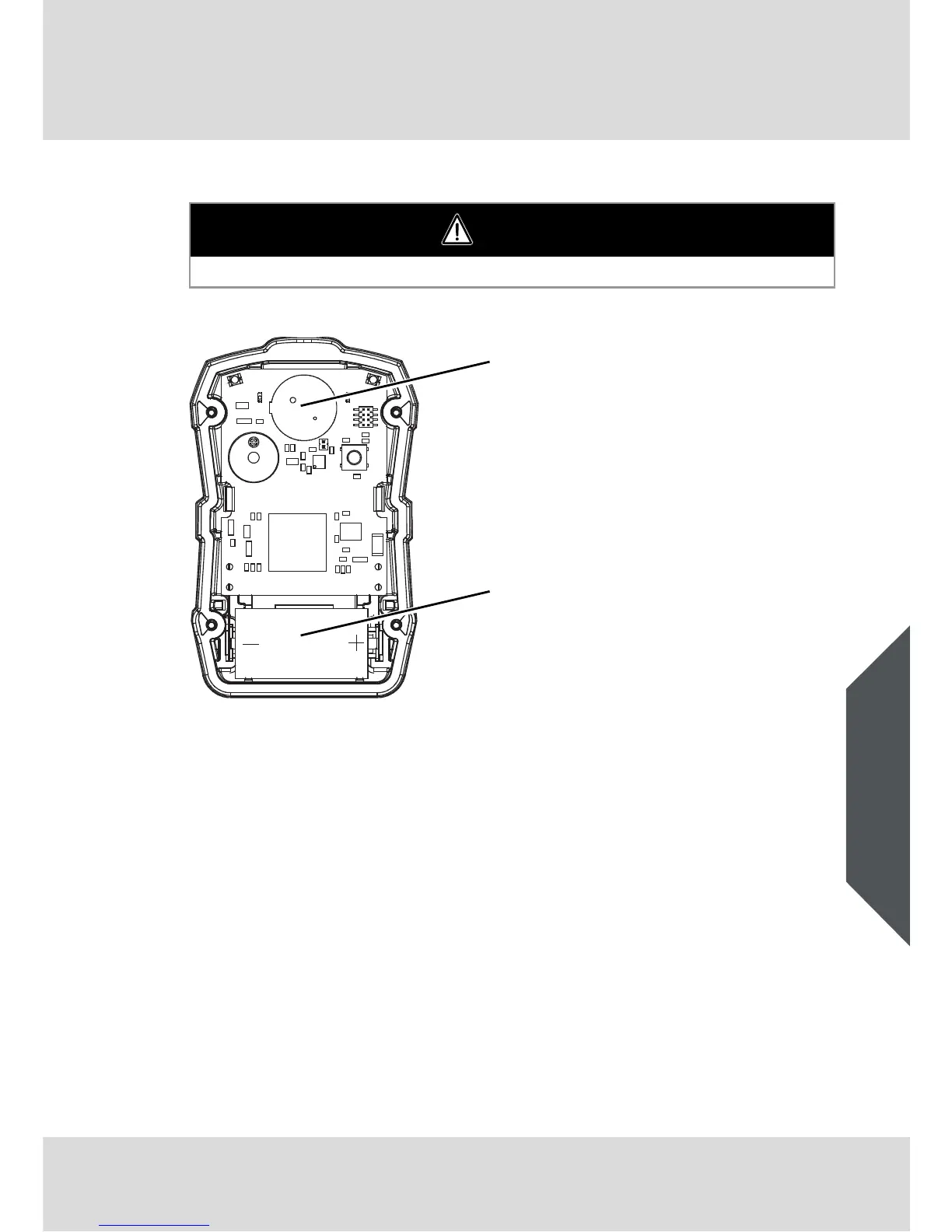
Fig. 14 Sensor and Battery Replacement
(1) Remove the four screws securing the case halves together.
(2) Carefully remove the front case to expose the battery.
The circuit board will remain with the back half of the case.
Do not touch the display connections (two blue connectors).
(3) Remove the depleted battery and replace only with one specified in
section 7.
Be sure to observe proper polarity on the battery, as shown on the
battery holder.
(4) Ensure the interface and connectors for the display are clean and free of
dirt for proper operation.
If necessary, the display connectors can be cleaned with a soft, lint free
cloth.
WARNING
Risk of explosion: Do not change batteries in hazardous areas.
1 Sensor
2 Battery



 To Next Page