10177245 Rev. 2 / OM-243792 Page 8
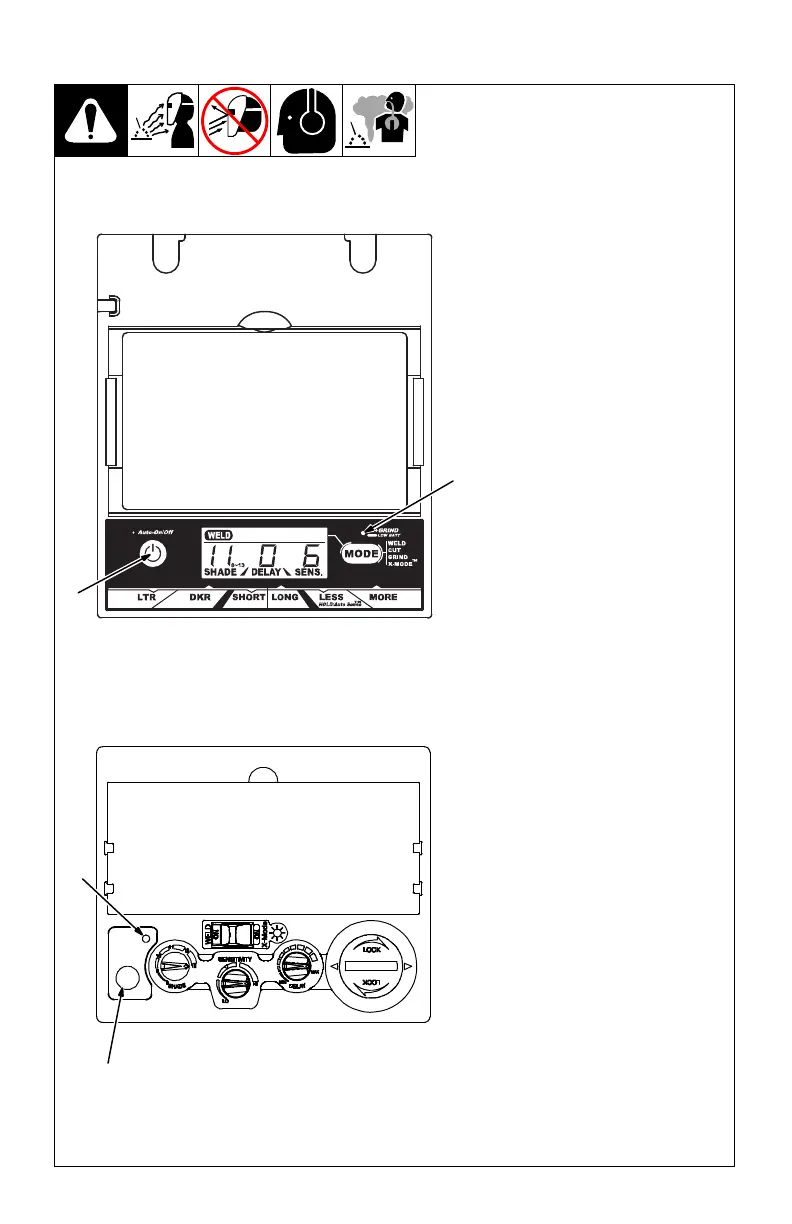
Elite Auto-Darkening Lens
1 Auto On/Off Button
Press On/Off button to check if the
lens is working properly and to begin
lens shade, sensitivity, and delay
adjustments.
When the On/Off button is pressed,
the display screen should show the
lens settings. Do not use the helmet
if the lens does not function as de-
scribed. (See Section 9,
T
roubleshooting.)
2 Grind / Low Battery Light
The Grind / Low Battery light blinks
when the lens is in the Grind mode.
Light stays on when 2−3 days of bat-
tery life remain.
If battery power is low, replace with
CR2450 lithium batteries (2 required
− Miller Part No. 217043). See Sec-
tion 6.
VSi Auto-Darkening Lens
The auto-darkening lens turns
on (darkens) automatically
when welding begins and turns
off when welding stops.
3 Reset Button
Press Reset button to check if the
lens is working properly.
When the Reset button is pressed,
the lens should darken twice and re-
turn to the clear state. Do not use the
helmet if the lens does not function
as described. (See Section 9, Trou-
bleshooting.)
4 Low Battery Indicator
The low battery indicator lights
when 2−3 days of battery life re-
main.
If battery power is low, install new
CR2450 Lithium battery (see Sec-
tion 6).
Elite Lens Assembly
1
2
3-2. Auto On/Off Button And Low Battery Light
3
4
VSi Lens Assembly



 To Next Page