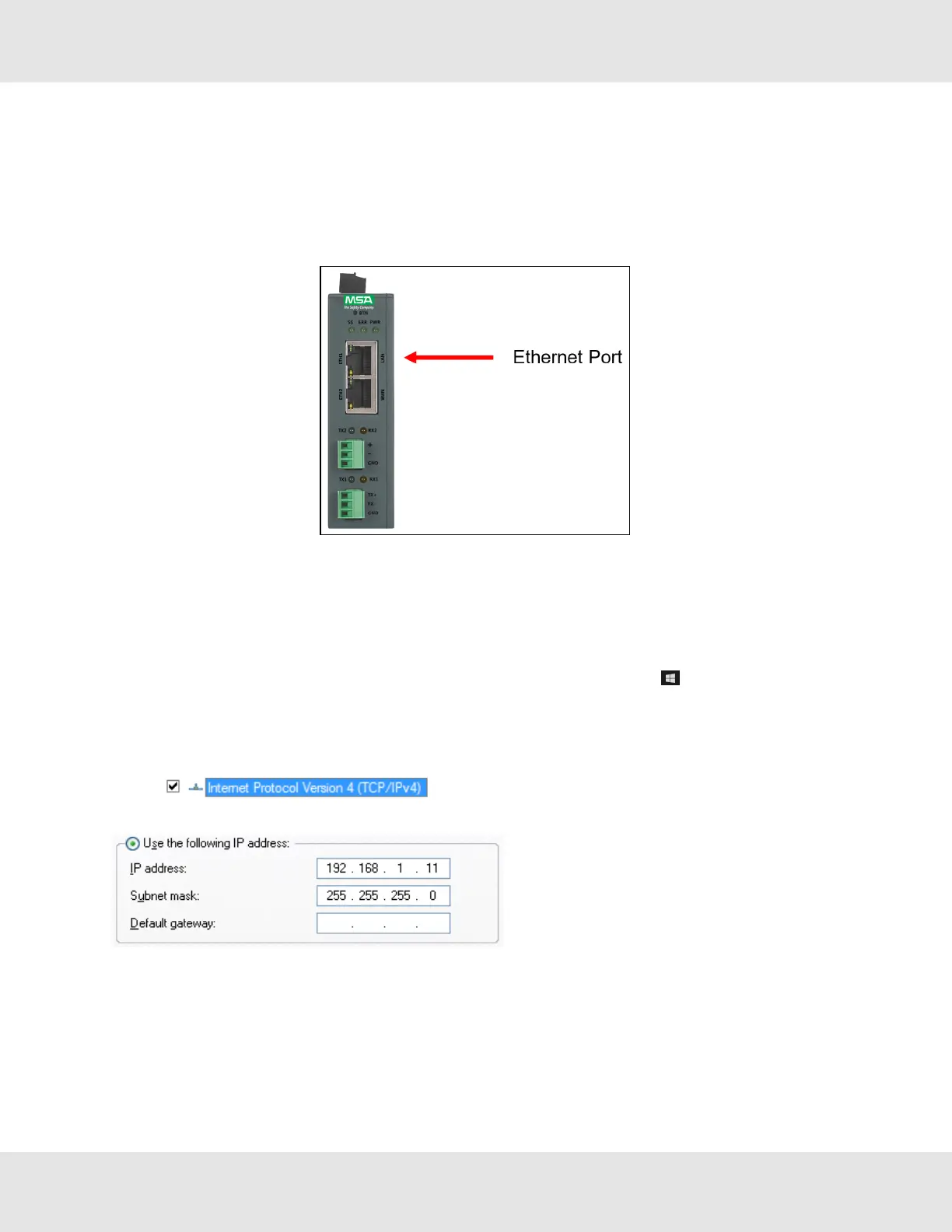
5 Connect the PC to the Gateway
NOTE:If the Dual Ethernet FieldServer is a client on ETH1 and a server on ETH2 using the same protocol, the
TCP or UDP ports need to be unique among the ETH1 and ETH2 ports.
5.1 Connecting to the Gateway via Ethernet
Connect a Cat-5 Ethernet cable (straight through or cross-over) between the local PC and ProtoNode ETH1 (LAN Port).
5.1.1 Changing the Subnet of the Connected PC
The default IP Address for the ProtoNode is 192.168.1.24, Subnet Mask is 255.255.255.0. If the PC and ProtoNode are on
different IP networks, assign a static IP Address to the PC on the 192.168.1.xxx network.
For Windows 10:
• Use the search field in the local computer’s taskbar (to the right of the windows icon ) and type in “Control Panel”.
• Click “Control Panel”, click “Network and Internet” and then click “Network and Sharing Center”.
• Click “Change adapter settings” on the left side of the window.
• Right-click on “Local Area Connection” and select “Properties” from the dropdown menu.
• Highlight and then click the Properties button.
• Select and enter a static IP Address on the same subnet. For example:
• Click the Okay button to close the Internet Protocol window and the Close button to exit the Ethernet Properties
window.
Hunter Fans ProtoNode FPC-N64 12



 To Next Page